The Complete Etsy Mockup Generator Comparison: What to Look for When You're Selling Digital Prints at Scale
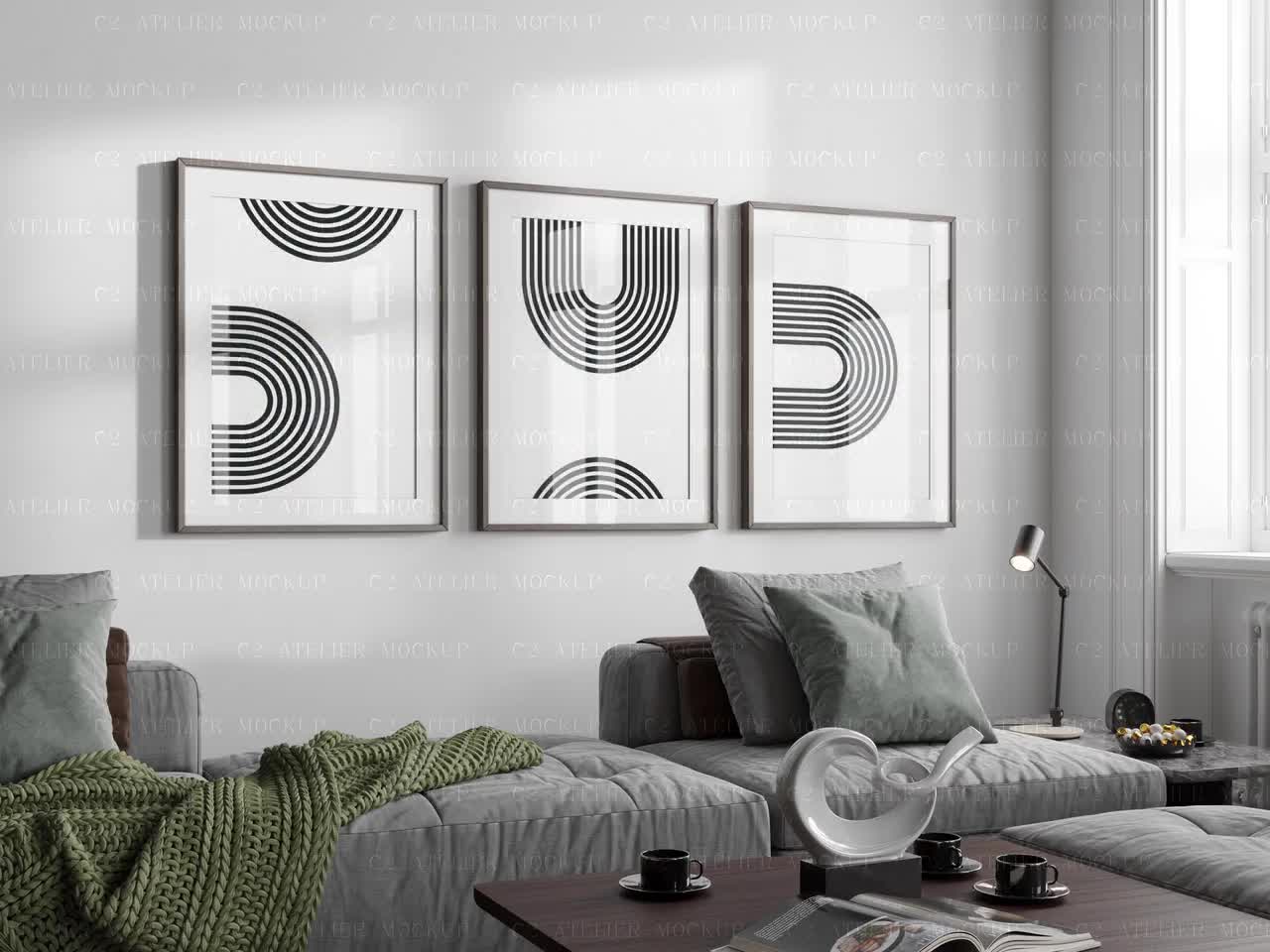
If you've been selling digital prints on Etsy for any length of time, you already know that your mockup images do a huge amount of the selling for you. Buyers can't hold your product. They can't walk into a store and see it on the wall. All they have is what you show them in that listing gallery, and if it looks generic or rushed, they'll scroll right past.
But here's where things get complicated: most mockup tools weren't built with Etsy digital print sellers in mind. They were built for photographers, brand designers, or apparel companies. You're often left using workarounds, fighting with file formats, or spending more time in a mockup tool than you spend on actual product creation.
This post is a practical breakdown of what actually matters when you're comparing Etsy mockup generators, especially once you're selling at scale. Not a feature-by-feature spec sheet, but a real look at the criteria that separate tools that help your business from tools that quietly eat your time and money.
Why the "Best Mockup Tool" Depends Entirely on Your Volume
The advice you'll find in most comparison posts treats every seller the same. But someone with 10 listings has completely different needs from someone managing 200+ products across multiple collections. Before you evaluate any tool, you need to be honest about where you are and where you're going.
The Low-Volume Seller's Trap
If you only have a handful of listings, almost any tool will feel fine at first. You can afford to upload files one at a time, manually resize things, and tinker with settings. The friction isn't obvious yet.
The problem is that most sellers don't stay small intentionally. You add more designs, you expand into new niches, and suddenly you're spending three hours every week doing mockup work you thought would only take thirty minutes. The tool you picked when you had 15 listings starts to feel like a bottleneck at 60.
This is why it pays to pick a tool with scale in mind from the beginning. Switching tools later means re-doing work, re-learning workflows, and potentially rebuilding visual consistency across your shop.
What Changes When You're Managing Hundreds of Listings
At scale, the single most important feature of any mockup tool is bulk generation. Not just the ability to process multiple files, but to do it without you babysitting every step. You should be able to drop in a folder of designs, select your mockup templates, and walk away while the tool handles the rest.
Beyond that, consistency becomes critical. When a buyer clicks through your shop, your listings should look like they belong together. That means the same lighting, the same framing, the same overall aesthetic across every product. Tools that require manual adjustments for each image make this almost impossible to maintain at volume.
If batch workflows are something you're actively building out, it's worth thinking through how you'll handle the upload side of things too, not just the generation step. Getting mockups made quickly is only half the equation.
Takeaway: Before comparing tools, map out your current volume and where you realistically expect to be in 12 months. Then evaluate tools based on that future state, not just your current workload.
The Features That Actually Matter for Digital Print Sellers
Most mockup tool comparison posts list every feature under the sun. Here's what actually moves the needle if you're specifically selling digital prints, wall art, or similar products on Etsy.
Aspect Ratio Support and Smart Resizing
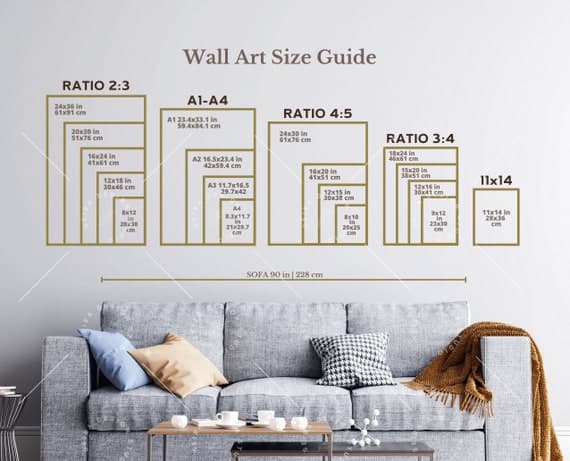
Digital prints come in an enormous range of sizes. You might sell the same design in 4x6, 5x7, 8x10, 11x14, and 16x20. Each of those has a different aspect ratio, and if your mockup tool can't handle them intelligently, you'll spend a lot of time manually adjusting art placement to stop it from looking stretched or cropped.
The best tools automatically detect or allow you to set the aspect ratio of your artwork and match it to the appropriate area in the mockup frame. This sounds basic, but a surprising number of tools handle it poorly, requiring you to manually reposition and scale artwork for every single size variant.
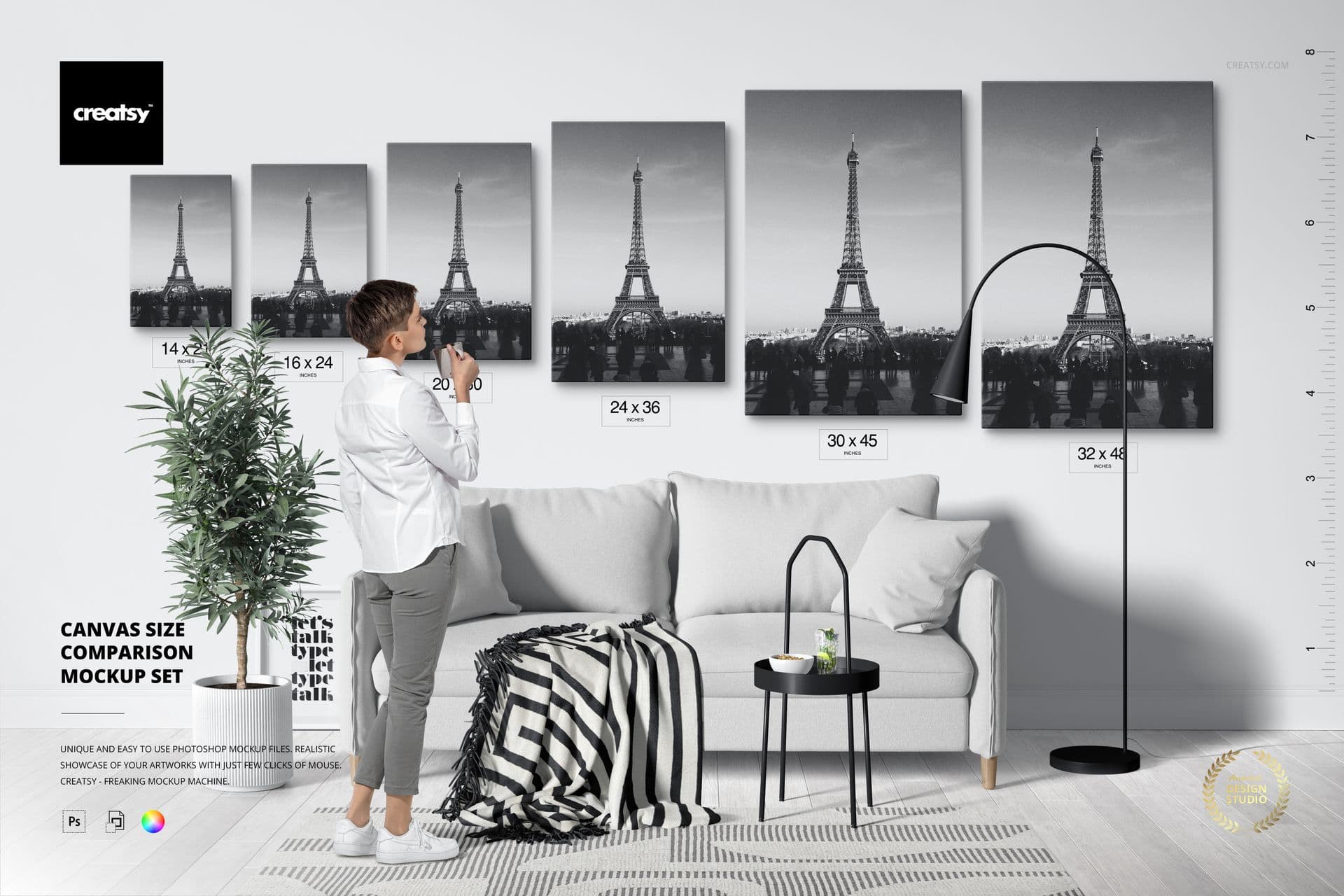
If you're selling multiple size variants of the same design (which you should be, because it's one of the simplest ways to increase average order value), aspect ratio handling will save you an enormous amount of time over the course of a year. Understanding mockup aspect ratios for digital prints before you commit to a tool is genuinely worth the 10 minutes it takes.
Template Library Quality and Relevance
Not all mockup libraries are created equal. Some tools have thousands of templates but almost none of them are relevant for wall art or digital print sellers. You'll find lots of phone screens, t-shirts, and tote bags, and almost nothing that shows a framed print hanging in a living room.
When you're evaluating a tool, go straight to the template library before you even look at pricing. Ask yourself: are there enough templates here that actually fit my products? Are they styled in a way that appeals to my target buyer? Do they look current or dated?
For Etsy sellers specifically, lifestyle mockups that show art in real home environments tend to convert better than plain flat lays or white-background shots. Buyers want to visualize the print in their own space. Templates showing art styled in bedrooms, living rooms, hallways, and nurseries tend to perform better than sterile studio shots.
Text Overlay and Ad Creation Capabilities
This one gets overlooked a lot, but it's genuinely useful once you're thinking about marketing beyond just Etsy listings. If you're running Etsy ads, sharing products on Pinterest, or posting to Instagram, you'll occasionally want to add pricing callouts, collection names, sale messaging, or other text directly onto a mockup image.
Tools that let you add and style text overlays inside the same workflow save you from bouncing between your mockup generator and Canva or Photoshop every time you want to create a promotional image. It's a small thing, but it compounds over time.
Takeaway: Filter any tool you're considering by checking whether its template library actually covers your product type. A tool with 10,000 templates that doesn't include good wall art options is less useful than one with 500 that hits your niche well.
Pricing Models and the Hidden Cost of Scaling Up
This is where a lot of sellers get burned. A tool that looks affordable at 50 mockups a month can become genuinely expensive at 500. Understanding how a tool charges before you commit is critical.
Per-Download vs. Subscription vs. Unlimited
Mockup tools generally charge in one of three ways: per download (you pay each time you export an image), tiered subscriptions (you get a set number of downloads per month), or flat-rate unlimited access.
For low-volume sellers, per-download pricing can seem cheap. But run the math for where you want to be. If you're generating 5 mockups per listing and you plan to have 200 listings, that's 1,000 mockup images. Per-download pricing of even $0.50 per image adds up to $500 just to stock your shop with images once. And that's before you start updating listings, testing new templates, or creating seasonal variants.
Subscription tiers with monthly caps can work, but watch out for overage fees or hard limits that force you to upgrade. The jump between tiers can sometimes cost more than the value you're getting from the additional capacity.
For high-volume print-on-demand sellers, unlimited or flat-rate access is almost always the better deal. The math isn't even close once you're running a serious operation. The hidden cost of free mockup templates is a version of this same problem, where what looks free or cheap on day one quietly becomes expensive as your shop grows.
What You're Actually Paying Per Hour of Time Saved
Here's a different way to think about pricing that most sellers never do: what is the tool saving you in time, and what is your time worth?
If a tool costs $30 a month but saves you 5 hours of manual mockup work, and you value your time at even $15 an hour, you're getting $75 worth of value for $30. That's a straightforward return. If a free tool takes 10 hours a month to accomplish the same output, it's actually costing you more in the currency that matters most to a solo seller: time.
This reframe is especially useful when comparing a slightly more expensive purpose-built tool against a cheaper generic one. The specific tool built for your workflow will almost always be faster, which means it pays for itself in time even when it costs more on paper.

Takeaway: Before comparing monthly prices, estimate how many mockups you'll need in a year and calculate the actual cost per image under each pricing model. Then factor in how long each tool takes per batch.
Bulk Generation: The Feature That Separates Hobbyists from Operators
If you take nothing else from this post, take this: if a mockup tool doesn't have robust bulk generation, it is not a serious tool for a serious Etsy seller.
What Real Bulk Generation Looks Like
Real bulk generation means you can upload multiple design files, apply them to multiple templates, and export all the resulting combinations without touching each one individually. Some tools call their workflow "bulk" when it really just means you can queue up files one at a time. That's not the same thing.
The best bulk workflows let you define a template set, drop in a batch of artwork files, and get back a full grid of output images organized by design and template. If you have 20 new designs and 5 templates, you should be getting 100 finished mockup images with minimal manual steps. That's what actual scale looks like.
It's genuinely possible to create 50 product mockups in under 10 minutes when the tool is built with this workflow in mind. If your current tool makes that feel impossible, that's the tool's failure, not yours.
Batch Uploading and Etsy Integration
Generating mockups quickly is only half the battle. The other half is getting them into your Etsy listings without spending another hour manually uploading. Some tools offer direct integration with Etsy or at least export options organized in ways that make uploading faster.
At minimum, look for tools that export files with clear naming conventions so you can quickly match mockup images to their corresponding listings. Even better is a tool that organizes your exports into folders by product or design automatically.
If you've ever built out a large product collection in one sitting and then spent twice as long uploading images, you know exactly why this matters. A good batch workflow covers the whole loop, from design to exported file to live listing.
Takeaway: When testing any mockup tool, specifically run a bulk test. Upload 10 files at once, apply multiple templates, and time how long it takes. That single test will tell you more than any feature list.
Consistency, Branding, and Looking Like a Real Shop
One underrated aspect of mockup tool selection is how well it supports brand consistency across your shop. This matters more than most sellers realize.
Why Consistency Converts Better
When a shopper lands on your Etsy shop, their brain is making fast judgments about whether you're a legitimate seller or a casual hobby shop. One of the strongest signals of legitimacy is visual consistency. Listings that look like they belong together, with matching mockup styles, similar lighting, and a coherent aesthetic, signal that a real brand is behind the shop.
Tools that give you saved template sets or preset collections make this easy. You choose your 4 or 5 go-to mockup styles, save them as a batch, and apply that same set to every new design you release. Every listing that goes live looks like it belongs to the same shop, because it does.
Knowing how many mockup images each listing should have is part of this consistency strategy too. If some of your listings have 2 images and others have 9, your shop feels uneven even when the individual images look good.
Template Customization and On-Brand Aesthetics
Beyond using the same templates consistently, some sellers want to go further and customize mockups to match their specific brand colors, include their shop name, or build a signature look that buyers associate with their products.
Look for tools that let you adjust background colors, add subtle branding elements, or customize the mockup environment beyond just swapping out the artwork. This isn't necessary for every seller, but for shops that have developed a strong visual identity, it's a meaningful differentiator.
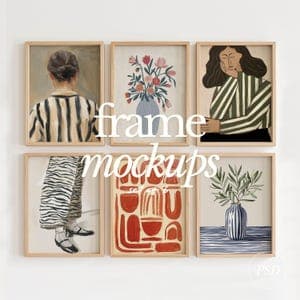
Takeaway: Choose a mockup tool that makes it easy to apply the same template set to every new product. Saved template batches or preset collections are worth prioritizing in your evaluation.
How to Actually Evaluate a Tool Before You Commit
Most tools offer free trials or free tiers. Use them seriously, not casually. Here's how to actually stress-test a tool before you decide it's worth paying for.
Run a Real Batch Test with Your Actual Files
Don't test a mockup tool with sample files or a single image. Pull 10 to 20 of your actual design files, in the sizes and aspect ratios you actually sell, and run them through the bulk workflow. How long does it take? How many steps did you have to take manually? How do the outputs look?
This real-world test will immediately expose problems that a polished product demo would never show you. Aspect ratio issues, slow export times, confusing interfaces, low-quality rendering — these all show up fast when you're working with real files at realistic volume.
Check for Print-on-Demand Specific Support
Generic mockup tools built for brand designers or photographers often have subtle issues for print-on-demand sellers. They might not handle the standard print sizes you work with, might not have frames or print-specific templates in their library, or might compress output files in ways that hurt Etsy listing quality.
Look for tools that are either built specifically for this use case or have clearly invested in supporting it. Mockupanda was built specifically out of the frustrations of a product designer working in this exact space, which means the decisions baked into the tool reflect the actual needs of digital print sellers rather than a generic creative audience.
The difference between a tool built for your use case and one you're adapting to your use case is felt in every single batch you run. It's not dramatic, but it accumulates into hours saved or lost over a year.
Evaluate the Support and Update Cadence
For a tool you're going to rely on for a core part of your business workflow, it matters whether the people behind it are actively developing it or coasting. Check whether they've made meaningful updates recently. See if they respond to support questions. Look for whether they're engaged with their user community.
Bootstrapped tools built by people who actually use them in their own businesses tend to have more responsive development cycles. A founder who is also a user will prioritize the fixes and features that actually affect real workflows, not a roadmap built by committee.
Takeaway: Treat the free trial as a real job interview for the tool. Run your actual files through an actual batch and time the whole workflow. If the trial doesn't let you test the bulk feature, that itself tells you something.
Making the Final Call
There's no universally right answer in this comparison because the right tool depends on your specific situation. But here's a simple framework to narrow it down.
If you're under 50 listings and just getting started, prioritize template quality and ease of use. Speed matters less when your volume is low, but the visual quality of your outputs will directly affect your conversion rate from day one.
If you're between 50 and 200 listings, bulk generation should be your top criterion. You're at the volume where manual mockup work starts to become a real time drain, and a tool that handles batches well will pay for itself quickly.
If you're above 200 listings or running a high-volume print-on-demand operation, you need unlimited or flat-rate pricing, true bulk generation, and ideally some form of API or integration support so mockup creation can plug into your broader workflow rather than sitting as a separate manual step.
At any stage, purpose-built tools designed for Etsy and print-on-demand sellers will outperform generic alternatives, because the decisions made during development reflect the actual job you're trying to do. Mockupanda was built exactly for this: fast, affordable, bulk mockup generation designed around the realities of running a digital print shop, not adapted from a tool built for someone else's workflow.
The right mockup tool isn't the one with the most features. It's the one that fits cleanly into how you actually work, at the volume you actually operate, without adding friction or cost that your business can't justify. Pick that tool, and everything else gets easier.
Keep reading

How to Use Batch Mockup Generation to Stay Consistent When You Have Multiple Designers Uploading New Artwork to Your Shop
How to Create Mockups for 10 Print Size Variants of the Same Design in One Batch Without Starting Over Each Time