Selling Wall Art on Both Etsy and Shopify: How to Adapt Your Mockup Strategy for Each Platform's Buyer Behavior
Running a wall art shop on both Etsy and Shopify sounds like the dream setup. You get the built-in traffic from Etsy and the brand ownership that comes with your own Shopify store. But here is the mistake most sellers make: they create one set of mockup images and paste them across both platforms, assuming the work is done.
The problem is that the person browsing Etsy at 10pm looking for something for their living room is a completely different shopper from someone who typed your store URL directly into their browser. They have different expectations, different levels of trust in you as a seller, and different visual triggers that push them from "I like this" to "I'm buying this."
Your mockup images are the single biggest conversion lever you have on both platforms. Getting them right, specifically for each audience, is one of the highest-return things you can do for your shop without changing your actual products at all. Let's break down how to do it.
Understanding the Core Difference Between Etsy and Shopify Buyers
Before you touch a single mockup, you need to understand who you're actually talking to on each platform. The visual language that converts on Etsy is genuinely different from what works on Shopify, and it comes down to how people end up on your listing in the first place.
The Etsy Buyer: Discovery-Driven and Comparison-Heavy
Etsy is a marketplace. That means buyers arrive through search, browse through dozens of listings before clicking on yours, and land on your product page with multiple browser tabs already open. They are in discovery mode, not loyalty mode.
Because Etsy buyers are actively comparing you to competitors, your thumbnail image is doing most of the heavy lifting before they even read your title. They are scanning fast. The mockup needs to stop the scroll, communicate the vibe of the piece instantly, and signal quality within a fraction of a second.
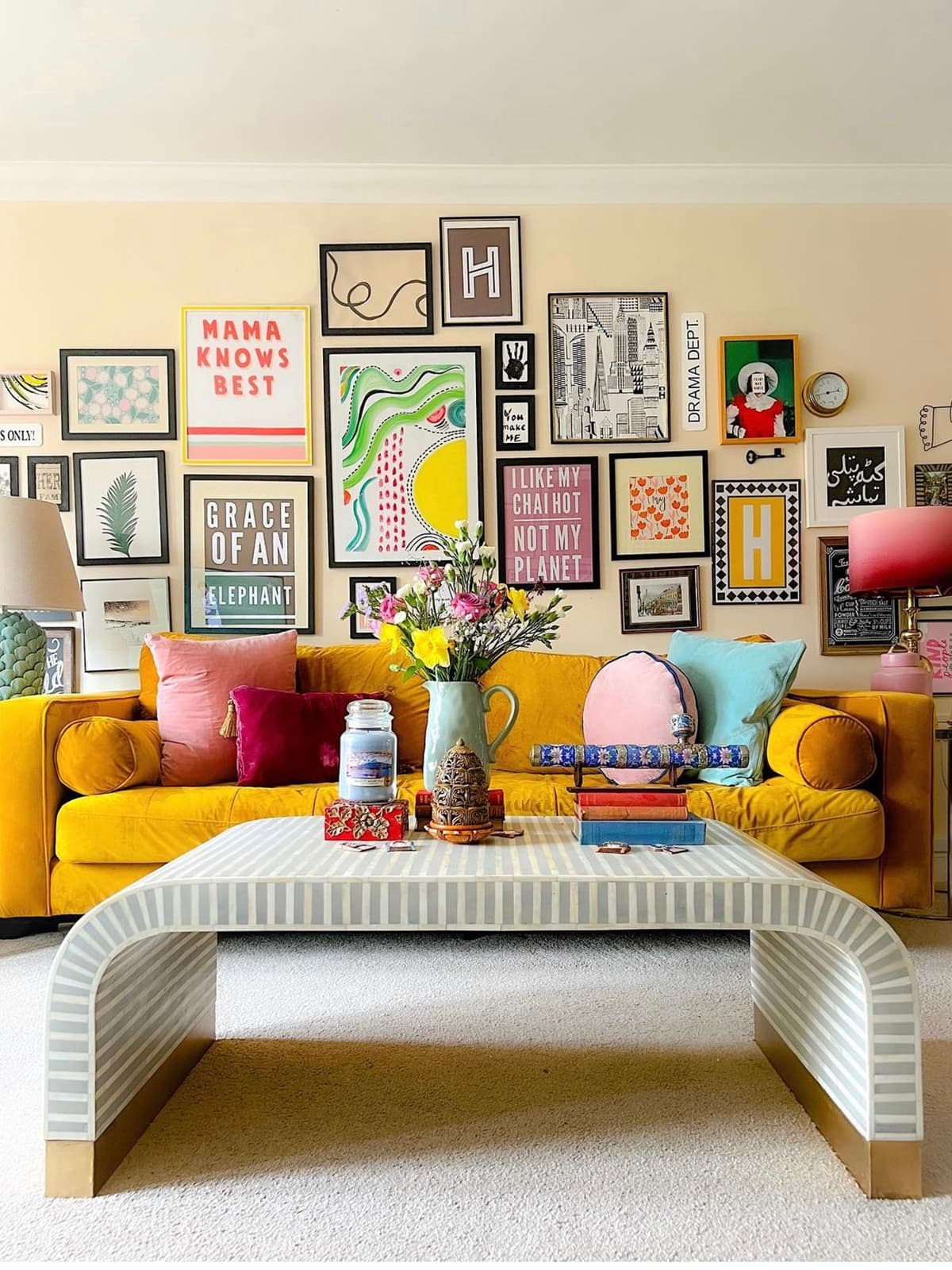
Etsy buyers also tend to be more emotionally driven. They are often shopping for a feeling, not a specification. Someone searching for "boho bedroom wall art" wants to see that print living inside a warm, styled bedroom. They want to imagine it on their wall before they click, not after. This is why lifestyle mockups, room scenes with styled furniture, and cozy interior settings perform so well on Etsy.
The Etsy buyer is also generally more price-sensitive and more likely to be a first-time buyer from your shop. They need to trust the product quality quickly, which means your mockups need to look polished and realistic, not like a flat graphic dropped onto a stock photo.
The Shopify Buyer: Intent-Driven and Already Warm
The person who lands on your Shopify store is different. They either followed a link from your Instagram, clicked through from a Pinterest pin, found you through a Google search for your specific brand, or came back after a previous purchase. They have, in most cases, already decided they like what you do.
Shopify buyers are more brand-aware. They are not comparing you to seven competitors in other tabs. They are already inside your world. This changes what your mockups need to do.
On Shopify, your mockups can do more work around brand storytelling. You can lean into a consistent visual aesthetic across your entire product catalog. You can use more stylized, editorial-feeling images because your buyer is already sold on your brand identity. You can show collections together, styled as a gallery wall, because the buyer is likely browsing multiple products in the same session.
Shopify buyers also tend to convert at higher price points more readily, which means your mockups should support a premium positioning. Think less "busy marketplace thumbnail" and more "curated lifestyle brand."
Takeaway: Before creating or updating any mockups, define the state of mind your buyer is in when they arrive. Etsy shoppers are discovering you cold. Shopify shoppers are arriving warm. Your images should match where they are in their journey.
Building Your Etsy Mockup Strategy for Maximum Click-Through
On Etsy, the game starts before anyone clicks your listing. The thumbnail is your storefront window, and the additional images need to close the sale quickly before the buyer bounces back to search results.
Leading with Lifestyle and Emotional Context
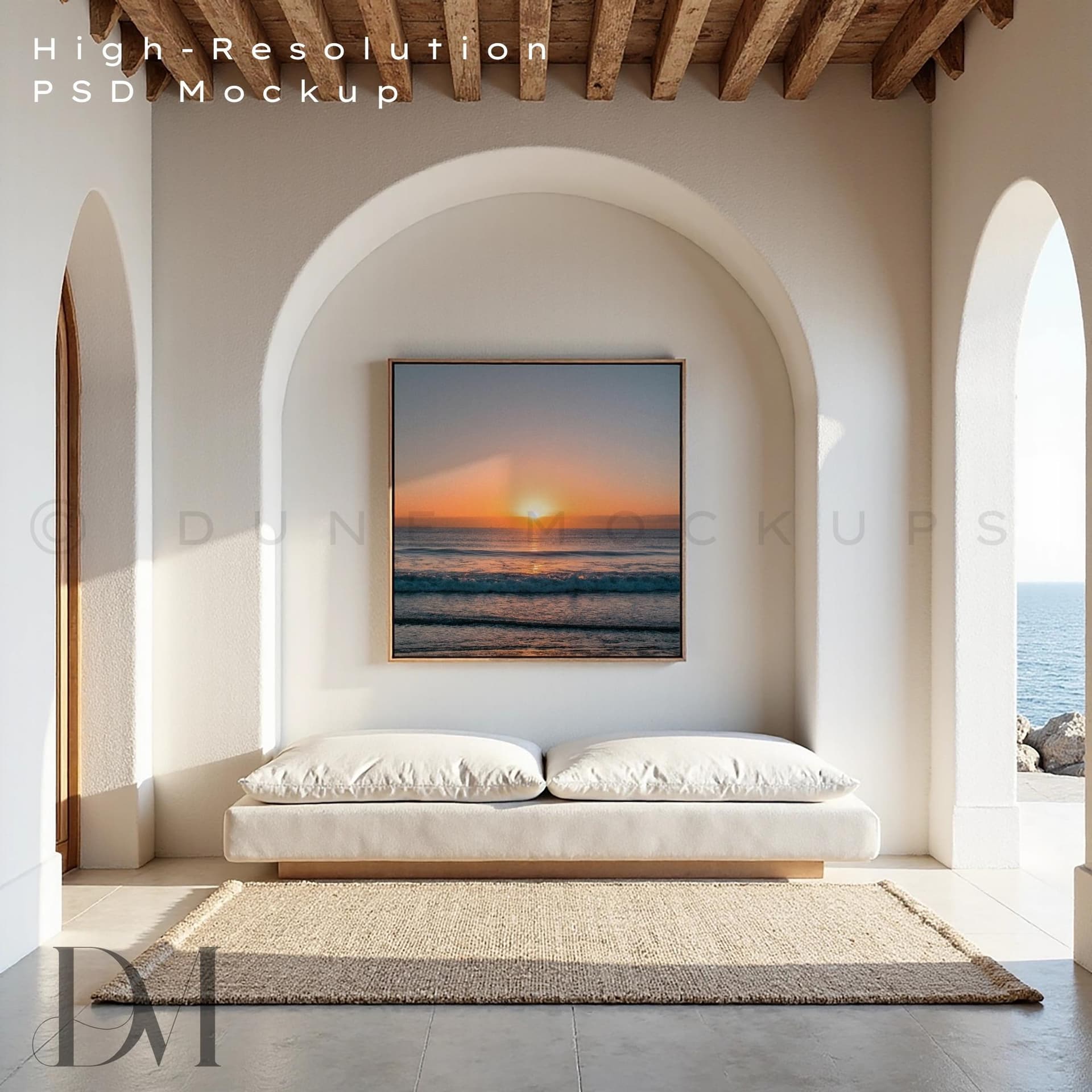
Your primary Etsy image should almost always be a lifestyle mockup showing the print inside a real-looking room. This does not mean you need to hire a photographer or rent a studio. It means choosing mockup templates that show your art in realistic interior settings, hanging on actual walls with natural lighting and believable furniture in frame.
The interior style in your mockup should match the aesthetic of your print. If you sell minimalist Scandinavian-style prints, the room scene should reflect that same clean, neutral, light-filled aesthetic. If you sell maximalist botanical illustrations, a richer, more layered interior setting will feel more on-brand and attract the right buyer.
Avoid mockup backgrounds that look obviously digital or heavily composited. Etsy buyers have seen thousands of listings and they can tell the difference between a flat mock-up and one that looks like a real photograph. The more realistic and believable your room scene, the more a buyer can project themselves into it.
Structuring Your Image Sequence for Etsy Conversion
Etsy allows up to ten images per listing, and how you sequence them matters. Think of your image gallery as a short sales argument:
Image one is your lifestyle hero shot. It stops the scroll and communicates the emotional vibe. Image two can be a closer crop showing print quality and detail. Image three might be an alternative room setting to show versatility, maybe the same print in a living room if image one was a bedroom. Image four can handle practical concerns: a size comparison mockup showing the print on a wall next to something familiar like a sofa or a door, so buyers understand scale. Image five can be a flat lay showing the print alongside complementary items like plants or books to reinforce the aesthetic.
If you sell digital downloads, you also need an image that clearly explains the digital nature of the product, including what file formats are included and how to print it. Confusion about what the buyer is actually receiving is one of the biggest causes of abandoned carts and negative reviews on Etsy.
Using Text Overlays Strategically on Etsy
Etsy sellers have discovered that adding a small text overlay to certain images, especially ones that explain key details like "Instant Download" or "10 sizes included," can dramatically reduce buyer confusion and improve conversion. Buyers often do not read listing descriptions before deciding to buy.
Using a tool like Mockupanda, you can add clean text overlays directly onto your mockup images without needing to open a separate design application. This means you can create your lifestyle room scene mockup and then add a simple "Instant Digital Download" label in the corner in one workflow, keeping everything consistent across your catalog.
Takeaway: On Etsy, sequence your images as a visual sales funnel. Lead with emotional resonance, follow with detail and trust-building, and close with practical information. Every image should answer a question the buyer has before they think to ask it.
Building Your Shopify Mockup Strategy for Brand Cohesion and Higher AOV
Your Shopify store is where you control everything: the typography, the layout, the color palette, the entire customer experience. Your mockups need to feel like a coherent part of that experience, not like images you pulled from a freelance designer and pasted in.
Creating a Consistent Visual Language Across Your Catalog
On Shopify, visual consistency across product pages does something that individual listing quality cannot: it builds brand trust at scale. When a buyer clicks from one print to another and sees the same photographic style, the same color temperature, the same interior aesthetic in every mockup, it signals professionalism and intentionality.
This means deciding on a small set of mockup styles that become your brand signature and using them consistently. Maybe every print in your "minimalist collection" gets shown in a white-walled, Scandinavian-style room. Maybe every piece in your "vintage botanical" collection appears in a warm-toned, slightly antique-feeling interior. The mockup style becomes part of the collection identity.
Bulk mockup generation is essential here. If you have fifty prints in a collection and you need each one rendered in the same three room settings, doing that manually is hours of work. Tools like Mockupanda are built specifically for this use case, letting you generate consistent mockups across a large catalog quickly so your Shopify store looks polished without taking days to update.
Showcasing Gallery Walls to Increase Average Order Value
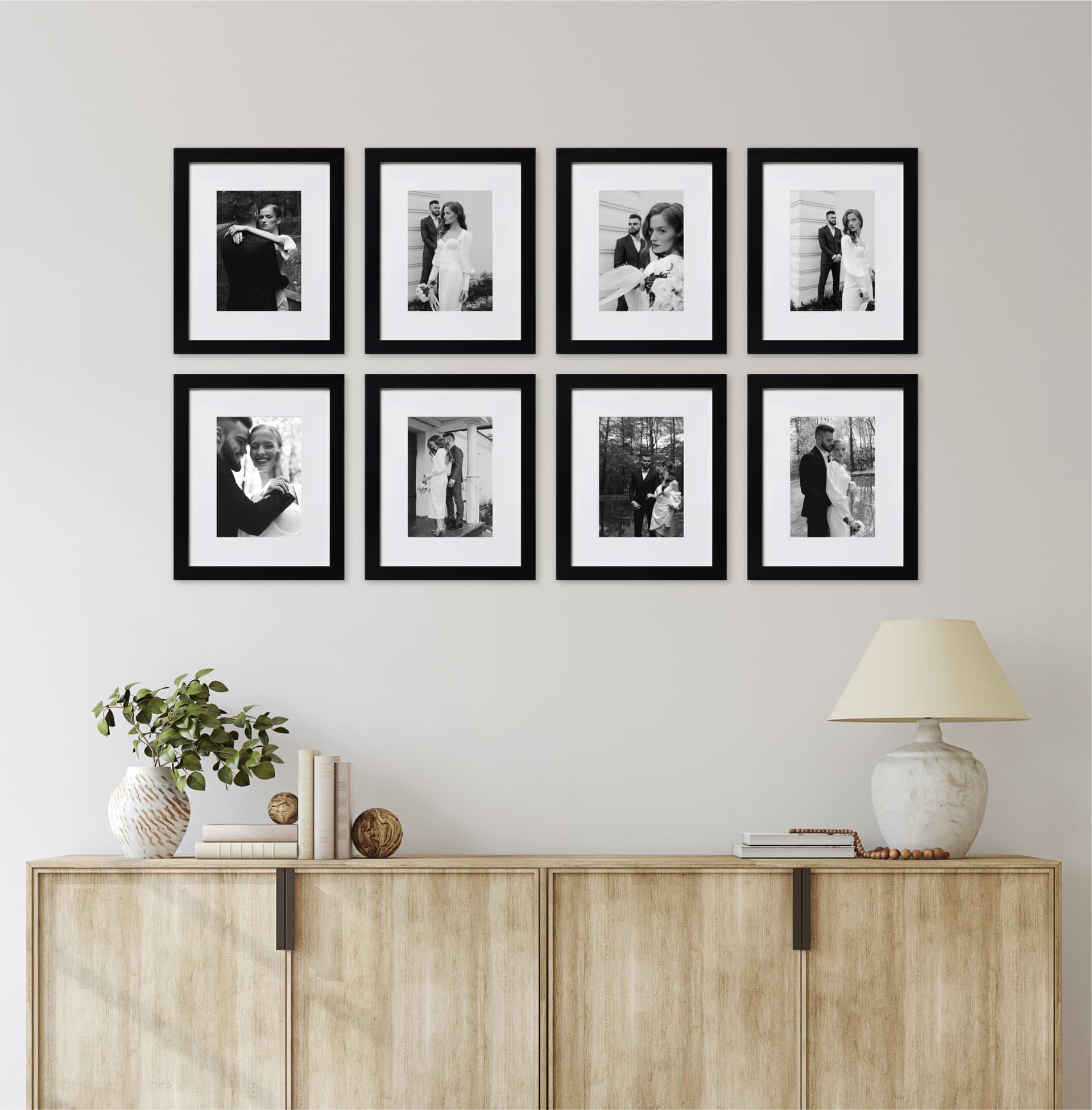
One of the biggest revenue opportunities on Shopify that does not exist in the same way on Etsy is the gallery wall mockup. Because your Shopify buyer is already browsing your full catalog and is warm to your brand, showing multiple prints styled together on the same wall is a powerful way to inspire multi-item purchases.
Create mockups that show two, three, or five of your prints grouped as a gallery wall. This serves double duty: it helps the buyer visualize how the prints work together, and it plants the seed that buying just one might leave the wall looking incomplete. Add a simple "Shop the look" caption or a product list in your image description, and you have turned a single product page into a soft bundle sale.
Letting Your Brand Story Show Through the Mockup Aesthetic
Shopify gives you the space to tell a brand story. Your mockup aesthetic is part of that story. If your brand voice is warm, handcrafted, and personal, your mockups should reflect that with styled scenes that feel lived-in and real. If your brand is cool, modern, and editorial, your mockups should feel more like magazine spreads.
This is where the personal story behind your shop becomes a visual asset. On Etsy, you are competing for attention against strangers. On Shopify, you are building a relationship. Let the aesthetic choices in your mockups, the interiors you choose, the props in frame, the lighting style, all speak to the kind of person you are designing for.
Takeaway: Treat your Shopify product images as part of your brand design system, not as individual listing assets. Consistency, gallery wall inspiration, and a cohesive aesthetic will lift both conversion and average order value across your catalog.
Managing Mockup Production Across Two Platforms Without Burning Out
Here is the practical reality: maintaining a shop on two platforms means double the product listings, double the image requirements, and potentially double the mockup work if you are not systematic about it.
Building a Mockup Template System That Scales
The most efficient way to sell on both platforms without the mockup work eating your week is to create a tiered template system. Decide which mockup styles are core to both platforms and which are platform-specific.
For example, you might decide that every new print gets three core mockups: a lifestyle bedroom shot, a close-up detail shot, and a size comparison shot. These go on both Etsy and Shopify. Then, for Etsy, you add a digital download information image and maybe a second room setting. For Shopify, you add a gallery wall grouping and a higher-end editorial shot.
This way you are not starting from scratch for each platform. You are building a base set and then extending it with platform-specific additions.
Using Bulk Generation to Keep Both Shops Updated
When you add new prints to your catalog, you need mockups fast. The worst thing for your momentum as a seller is having a great new design sitting in a folder waiting to go live because you have not had time to mock it up.
Mockupanda is built around this exact problem. You can upload a batch of print files, apply your chosen room scene templates, and generate a full set of mockups in a fraction of the time it would take to do each one manually in Photoshop or Canva. When you are adding a collection of twenty new prints across two shops, that speed difference is the difference between launching this week and launching next month.
Keeping an Eye on What Actually Converts
Once both shops are running, use the data you have access to. Etsy provides stats on which listings get the most clicks and the highest conversion rate. Shopify gives you detailed product analytics as well. Pay attention to which mockup styles are performing and which are not.
If one room scene thumbnail is getting a click-through rate double that of another, that is your market telling you something. Swap out the underperforming mockup. Test a different setting. The mockup strategy is never finished. It evolves as you learn what your specific audience responds to.
Takeaway: Build a tiered mockup template system that starts with a shared base set and branches into platform-specific additions. Use bulk generation to keep pace with new product launches, and review your analytics regularly to retire underperforming images and double down on what works.
Pricing, Positioning, and How Mockups Support Both
There is a direct line between the quality of your mockup images and how much buyers are willing to pay for your prints. A print shown in a beautiful, realistic room scene feels more valuable than the exact same print shown on a plain white background. The product has not changed. The perceived value has.
Using Mockups to Justify Premium Pricing on Shopify
If you are positioning your Shopify store at a higher price point than your Etsy shop (which many sellers do, since Etsy buyers skew more price-sensitive), your mockups need to support that positioning. This means investing in high-quality room scene templates with realistic lighting, believable props, and interiors that feel aspirational without feeling unattainable.
A buyer who lands on your Shopify store and sees editorial-quality mockups that look like something from an interior design magazine will anchor their perceived value of your print at a higher number before they even see the price. When the price appears and it is at a premium level, it feels consistent with what they have seen. When a premium price appears under a flat or poorly styled mockup, there is a disconnect that kills the sale.
Anchoring Value on Etsy Through Social Proof Mockups
On Etsy, one underused mockup technique is the social proof image. This might be a mockup styled to look like a customer's home, perhaps with a testimonial quote overlaid, or an image that shows the print in a setting that implies it has been purchased and loved by real people.
You can also use your Etsy images to show scale in a way that removes buyer anxiety. One of the most common reasons buyers hesitate on wall art is not knowing how it will look on their specific wall. A mockup that shows the same print in a small 8x10 size next to a large 24x36 version, both hung in comparable rooms, helps buyers confidently select the right size and reduces the friction that leads to abandoned carts.
Takeaway: Your mockups are not just presentation. They are a pricing tool. Align your mockup quality and style with your price point on each platform, and use every image slot to remove buyer hesitation before it appears.
A Practical Workflow for Sellers Running Both Shops
To bring this all together, here is a realistic workflow for a wall art seller managing both platforms without turning mockup creation into a full-time job.
The New Product Launch Checklist
Every time you create a new print and prepare to list it, run through this sequence. First, generate your three core mockups using your standard templates, one lifestyle room scene, one detail shot, one size comparison. These go to both platforms immediately.
Next, create your Etsy-specific additions: a digital download info image with a text overlay if applicable, and a second room setting that targets a different buyer (for example, if your core shot is a living room, add a home office or bedroom setting).
Then create your Shopify-specific addition: a gallery wall grouping that shows this new print alongside two or three existing prints from a complementary collection.
With a tool like Mockupanda handling the bulk generation of your core set, this entire workflow can happen in well under an hour per new print, even when you are launching a full collection at once.
Scheduling Seasonal Mockup Refreshes
Buyer tastes shift with seasons and interior design trends. The warm, maximalist interiors that performed brilliantly in autumn may feel heavy in spring. Schedule a quarterly mockup audit for both platforms. Look at your lowest-converting listings, refresh their hero images with a new room setting, and monitor whether performance improves.
This does not mean rebuilding your entire catalog every three months. It means keeping a short list of underperformers and cycling in fresh mockup styles to give them a second chance.
Takeaway: Treat mockup creation as a repeatable production workflow, not a creative marathon. A clear checklist for new launches and a quarterly audit rhythm will keep both shops looking current without consuming time you should be spending on creating new products.
---
Selling wall art on both Etsy and Shopify is genuinely one of the smartest moves you can make as a print-on-demand seller. You get discoverability from Etsy and brand equity from Shopify. But the sellers who make the most of both channels are the ones who respect the fact that each platform requires its own visual strategy.
Etsy buyers need to be stopped in their tracks by a thumbnail, led through a gallery that answers their questions, and given enough visual context to emotionally commit to a print they discovered three minutes ago. Shopify buyers need to feel like they have arrived inside a brand they already like, and they need mockups that inspire them to buy more than one thing.
If you are currently using the same image set across both platforms, start there. Pick your best three listings, create a platform-specific set of mockups for each, and watch whether your metrics shift. The investment in getting this right is smaller than you think, especially when you have a tool like Mockupanda handling the time-consuming production work so you can focus on the strategy itself.
Keep reading
The Batch Mockup Checklist Every Print-on-Demand Seller Needs Before a Holiday Sales Season

How to Use Batch Mockup Generation to Stay Consistent When You Have Multiple Designers Uploading New Artwork to Your Shop