How to Use a Bulk Mockup Generator to Keep Up With Seasonal Trend Drops Without Falling Behind on Listings

Seasonal trends in the print-on-demand world don't wait for you to catch up. One week you're watching a color palette or aesthetic go viral on Pinterest, and three weeks later the market is already flooded. If your workflow for creating listings still involves opening each design, dragging it into a mockup template one at a time, exporting, renaming, uploading, and repeating that process twenty more times, you already know the pain.
This post is about fixing that. Specifically, it's about building a system around a bulk mockup generator so that when a seasonal trend window opens, you're ready to publish fast, stay consistent, and not sacrifice quality just to hit a deadline.
Why Seasonal Timing Is Everything for Print-on-Demand Sellers
Trend Windows Are Shorter Than You Think
The cycle from trend emergence to market saturation has gotten incredibly short. What used to take months now takes weeks. If you're selling digital prints or wall art on Etsy, you've probably experienced this firsthand. You spot a trending aesthetic, spend two days creating designs and mockups, and by the time your listings go live the search results are already packed with competitors who got there first.
The sellers who consistently win these windows aren't necessarily better designers. They have faster workflows. They've eliminated the bottlenecks in their listing process so that the gap between finishing a design and having a polished, published listing is as small as possible.
The mockup creation step is almost always one of the biggest bottlenecks. It's repetitive, it's time-consuming, and if you're doing it manually it scales terribly. Ten new designs means ten individual mockup sessions. Thirty designs means an entire afternoon gone.
Takeaway: Map out your current listing workflow and time how long the mockup step actually takes per design. Most sellers are shocked when they add it up.
The Cost of Being Late to a Seasonal Trend
Being even a week late to a seasonal trend on Etsy can mean the difference between riding the wave of early organic traffic and getting buried under dozens of listings that already have views, favorites, and early sales history. Etsy's algorithm rewards newer listings with a temporary boost, but that boost matters most when search volume for a trend is still climbing.
Holiday seasons are the most obvious example. Christmas, Halloween, Valentine's Day, and Mother's Day all have predictable windows, but the trend layers within those seasons, like a specific illustration style suddenly going everywhere in October or a particular color story dominating spring home decor, those are harder to predict and move faster.
Shopify sellers dealing with direct traffic and paid ads face a similar pressure. If you're running seasonal campaigns, the speed at which you can populate a collection with professional-looking product images directly affects your conversion rate and your ability to scale ad spend efficiently.
Takeaway: Build a seasonal content calendar that works backward from your target publish date, with mockup creation as a dedicated scheduled block rather than an afterthought.
Volume Is a Competitive Advantage You Might Be Ignoring
There's a real strategic advantage to being able to publish more listings per trend drop. More listings means more entry points for organic search. It means you can test multiple variations, color ways, and design styles to see what resonates without betting everything on one product. It means your shop looks active, which customers and algorithms both respond to.
But volume only works as an advantage if the quality stays consistent. Rushing mockup creation and ending up with inconsistent, sloppy-looking listing images defeats the whole purpose. This is exactly where a purpose-built tool like Mockupanda makes the real difference. Bulk generation means you're not trading speed for quality. You're getting both.
Takeaway: Think about mockup creation not just as a production task but as a competitive lever. The faster and more consistently you can do it, the more flexibility you have in your seasonal strategy.
How a Bulk Mockup Generator Actually Changes Your Workflow
From One at a Time to One Batch at a Time
The fundamental shift that a bulk mockup generator creates is moving you from a sequential workflow to a batch workflow. Instead of completing one design's entire listing process before moving to the next, you're completing each step of the process across all designs at once.
In practice this looks something like this. You finish your seasonal designs, whether that's five, fifteen, or fifty of them. You upload them all at once to Mockupanda, select your mockup templates, apply any text overlays or branding elements, and let the generator run. You come back to a folder of polished, export-ready mockup images instead of spending the next several hours producing them one by one.
This doesn't just save time in raw minutes. It fundamentally changes how you think about your workflow. When mockup creation is fast and low-effort, you stop dreading it. You stop putting off new listings because the production overhead feels too heavy. The mental weight of the task shrinks, which makes you more likely to act on trends quickly.

Takeaway: Run one batch test. Take five designs you've been sitting on and put them through a bulk generator together rather than one at a time. Notice how that feels compared to your current process.
Choosing and Saving the Right Templates for Each Season
One of the most powerful ways to speed up your seasonal workflow is building a library of ready-to-use template combinations for each type of seasonal trend you typically sell into. This means doing the template selection work once, saving it, and reusing it every time you have a new batch of designs in that category.
For example, if you sell botanical prints and you know autumn designs perform well for you, you should have a saved set of warm-toned room mockup templates that you reach for every October. If you sell Christmas wall art, you should have a curated set of cozy interior mockups that match the aesthetic. The point is that template selection shouldn't happen from scratch every time you sit down to create a new batch.
Mockupanda lets you build workflows around this kind of repeatable logic, so you're not making creative decisions under time pressure when a trend drops. You've already decided what your seasonal aesthetic looks like. You just execute.
Takeaway: Create a simple document or note where you record your best-performing template combinations for each major season. Treat this as your seasonal mockup playbook.
Using Text Overlays to Turn Mockups Into Marketing Assets
Bulk mockup generation isn't just about saving time on listing images. It's also an opportunity to create marketing assets at the same time. If you're running seasonal promotions or launching a new collection, mockups with text overlays that include a sale message, a collection name, or a simple call to action become ready-to-use social media or ad creative without any additional design work.
This is especially useful during high-pressure seasonal periods when you're trying to manage listings, social posts, email campaigns, and potentially paid ads all at once. If you can generate your listing mockups and your promotional images in one batch run, you've eliminated an entire separate production step.
Takeaway: Plan your text overlay content in advance for each seasonal push. Write the copy before you sit down to generate mockups so there's no friction when you're in production mode.
Building a Repeatable System for Every Seasonal Drop
Prepping Your Design Files Before the Trend Peaks
The sellers who consistently publish at the right moment in a trend window aren't waiting until the trend peaks to start working. They're preparing earlier in the cycle, often while the trend is still building, so that their listing production is ready to execute the moment they decide to move.
This means doing your research early. Watch Pinterest trends, monitor Etsy search suggestions, pay attention to what's appearing in your niche on Instagram and TikTok. When you notice a trend building, start sketching or drafting designs before the window fully opens. By the time you're confident the trend has real momentum, you want to already have design files ready to batch through your mockup generator.
This approach requires some tolerance for uncertainty. You'll occasionally prep for trends that don't fully materialize. But the cost of that prep is low compared to the cost of consistently missing windows because your production pipeline wasn't ready.
Takeaway: Add a weekly 20-minute trend research block to your schedule. Use it specifically to look ahead two to four weeks and identify what seasonal or aesthetic trends might be worth preparing designs for.
Creating a Listing-Ready Asset Checklist
One of the quiet time-killers in listing production is having to stop mid-flow to figure out what you still need. You finish your mockups and then realize you still need to write descriptions, size the images properly, or add your shop banner. These interruptions break momentum and make the whole process feel slower than it is.
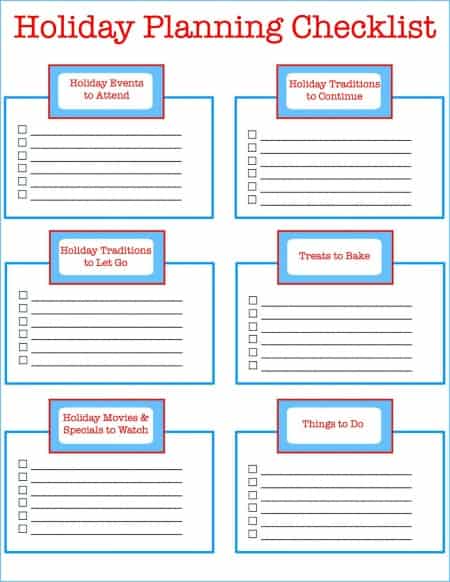
A simple checklist that covers every asset and piece of content you need for a listing helps you batch the non-mockup parts of the process too. Here's what a basic version might include. Finished design files in correct resolution and color profile. Mockup images generated and exported. Listing title and keyword-optimized description drafted. Tags and pricing confirmed. Any seasonal promotional text finalized.
When you sit down to do a seasonal listing push, work through the checklist in the order that makes sense for batching. Draft all your titles and descriptions at once. Generate all your mockups at once. Upload in bulk where your platform allows it.
Takeaway: Build your listing asset checklist once and keep it somewhere you'll actually look at it. Review it at the start of every new seasonal push to make sure nothing has changed about your platform's requirements.
Scheduling Listing Releases Around Peak Traffic Windows
Having your mockups and listing assets ready ahead of time gives you a strategic option that most sellers don't use: scheduling your releases instead of just publishing the moment everything is ready.
For most major seasonal events on Etsy, search traffic for seasonal keywords starts rising two to four weeks before the actual date. Publishing a week before Valentine's Day might feel early but it's often exactly when traffic is peaking. If you can generate your mockups in bulk, get your listings ready ahead of time, and then publish them at the optimal moment rather than whenever production finally finishes, you're using the time you've saved in a genuinely strategic way.
Shopify sellers have even more control over this. You can schedule collection launches, coordinate them with email campaigns, and time everything around when your audience is most likely to be in buying mode.
Takeaway: Research the peak search traffic window for your two or three biggest seasonal selling opportunities. Build your production timeline so you're ready to publish at the start of that window, not scrambling to finish in the middle of it.
Keeping Quality Consistent Across High-Volume Drops
Why Consistency Matters More Than Perfection
When you're producing listings at volume, perfection on each individual mockup becomes less important than consistency across the batch. Customers browsing your shop form impressions based on the overall visual experience. A shop where every listing looks cohesive builds trust and communicates professionalism even if any single image might not be technically perfect.
Bulk generation with consistent templates naturally produces this kind of visual consistency. Every listing in a seasonal collection gets the same room backdrop, the same framing, the same general aesthetic. That consistency is itself a quality signal that many manually produced shops struggle to maintain.
Takeaway: Pick two or three mockup templates that will anchor each seasonal collection and commit to using them across every listing in that drop. Consistency is the goal, not variety.
Testing Mockup Styles Before You Commit to a Full Drop
Even when you're working fast, it's worth spending a few minutes before a full batch run checking that your chosen templates are actually the right fit for your current designs. A template that works beautifully for warm-toned botanical prints might look odd with a graphic typography design. The aesthetic match between your art and the room setting in the mockup matters to conversion.
A good practice is to run two or three test exports from a new batch before committing to the full run. Look at them the way a customer would. Does the print look natural in the space? Is the color rendering accurate? Does the scale feel realistic? If something feels off, adjust the template selection before generating a hundred images you'll need to redo.
Takeaway: Always do a quick test run on two or three designs before processing a full seasonal batch. Ten minutes of checking upfront saves hours of reworking later.
Using Your Mockup System to Build Your Brand, Not Just Your Listings
The long-term payoff of a consistent, efficient mockup system isn't just faster listing production. It's a more recognizable brand. Shops that use cohesive, high-quality mockups across every product build a visual identity that customers start to associate with quality and trust.
When a buyer sees your listing in search results, recognizes the visual style from a previous purchase or save, and clicks through partly because your images look reliable, that's your mockup system doing brand-building work. That kind of recognition compounds over time in a way that individual one-off listings never do.
If you've been treating mockup creation as pure production overhead, a means to an end you want to get through as fast as possible, it's worth reframing it as a genuine brand asset. The goal isn't just to have images. It's to have images that consistently represent your shop at its best.
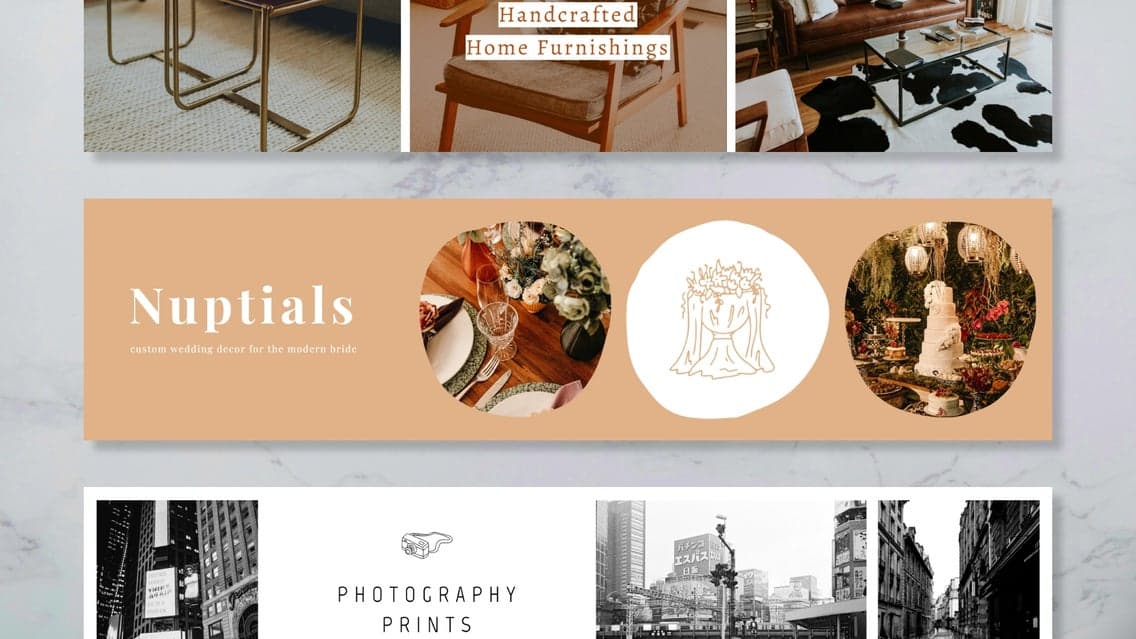
Takeaway: Review your current listings as a set, not individually. If the visual style varies widely, that's a signal to standardize. Pick a core set of mockup styles that represent your brand and rebuild inconsistent listings over time as you add new products.
Making the Most of Your Investment in Bulk Mockup Tools
Understanding What to Look for in a Bulk Generator
Not all mockup tools are built the same, and if you're a print-on-demand seller specifically, the generic tools built for broad markets often miss things that matter to your workflow. You want a tool that understands your use case, handles digital print files correctly, and is fast enough that bulk generation actually feels like a time save rather than a different kind of waiting.
Things worth evaluating: how many files you can process in a single batch, what format options are available for exports, whether you can apply consistent branding or text overlays across a batch, and how intuitive the template selection process is. You shouldn't need a design background to use it, and you shouldn't need to watch a tutorial every time you sit down to generate a batch.
This is the problem that Mockupanda was built to solve. Federico built it specifically because the tools that existed were either too expensive, too complicated, or designed for entirely different use cases. The result is something that print-on-demand sellers can actually use without friction.
Takeaway: Before committing to any mockup tool, run a test batch with real files from your shop. The experience of using it, not the feature list, is what tells you whether it fits your workflow.
Integrating Bulk Generation Into Your Broader Shop Automation
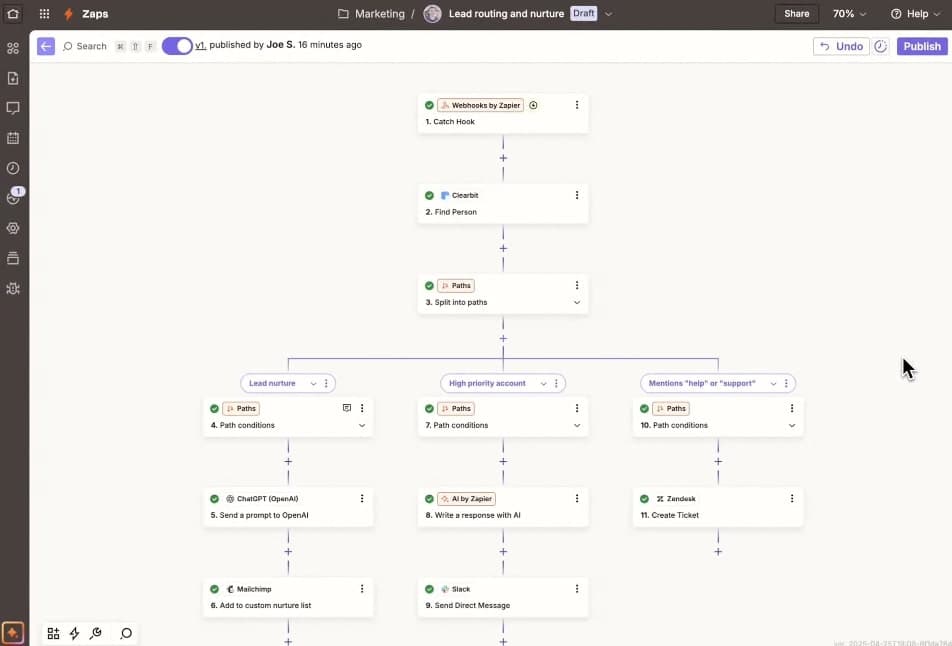
If you're running a high-volume shop, mockup generation is rarely the only thing you'd like to automate. Listing creation, inventory management, order fulfillment, social media posting, and email marketing all have their own overhead. The most efficient shops find ways to connect these systems so that completing one step triggers or simplifies the next.
Mockupanda offers an API that opens up possibilities for deeper integration. If you're comfortable with automation tools, you can build workflows where design file completion triggers a mockup generation run, and finished mockup exports flow directly into your listing creation process. For high-volume sellers, this kind of connected workflow can turn a two-day listing push into something that happens largely in the background.
Takeaway: If you're using tools like Zapier, Make, or custom scripts to automate other parts of your shop, look into whether your mockup tool has an API you can connect to. The compounding time savings can be significant at scale.
Measuring Whether Your Mockup System Is Actually Working
It's easy to assume that better mockups lead to better conversions without actually measuring it. Take the time to look at your data. After a seasonal drop where you used bulk generation to maintain consistent, high-quality mockups across all listings, check your click-through rate and conversion rate against previous seasonal drops. If you added text overlays for promotional purposes, check whether those images performed differently on social.
This data doesn't need to be elaborate. Even a simple comparison of views per listing and favorites rate between your old approach and your new batch system will tell you whether the change is paying off. Good mockups should produce measurable improvements over time, not just feel like an upgrade.
Takeaway: Track two or three simple metrics after each seasonal drop. Over time you'll build a real picture of what your mockup system is contributing to your shop's performance.
Final Thoughts
Seasonal trend drops will keep coming, and the gap between sellers who can execute quickly and sellers who can't will keep mattering. The good news is that this particular gap is a workflow problem, not a talent problem. You don't need to be a better designer or work longer hours. You need a system that removes the friction between your finished designs and your published listings.
Bulk mockup generation is one of the highest-leverage changes you can make to that system. It's not glamorous, but it's real. The sellers who build efficient production workflows around tools like Mockupanda are the ones who show up consistently, publish professionally, and stay visible through every seasonal trend window without burning out trying to keep up.
Start with your next seasonal drop. Pick a batch of designs, process them all at once, and see how much of your day you get back.
Keep reading
The Batch Mockup Checklist Every Print-on-Demand Seller Needs Before a Holiday Sales Season

How to Use the Mockupanda API to Auto-Generate Mockups Every Time You Upload a New Design to Your Print-on-Demand Store