How to Use Mockup Images as Pinterest Pins That Drive Traffic Back to Your Etsy Shop
Most Etsy sellers treat Pinterest like an afterthought. They pin a product photo here and there, forget about it for three months, and then wonder why no traffic ever shows up. Meanwhile, a small group of sellers are quietly generating thousands of monthly visitors from Pinterest alone, and the difference usually comes down to one thing: how they create and use their mockup images.
Your mockup images are not just for your Etsy listings. They are visual content that, when created with Pinterest in mind, can pull in buyers who are actively searching for exactly what you sell. Pinterest is a search engine as much as it is a social platform, which means pins have a shelf life that a tweet or Instagram post could never compete with. A pin you create today can drive traffic for months or even years.
This post is going to show you exactly how to build a mockup-to-Pinterest workflow that compounds over time, helps you stand out in a crowded feed, and keeps sending buyers to your shop without you having to constantly show up and hustle.
Why Pinterest Is a Goldmine for Etsy Sellers Specifically
The Search Intent Is Already There
When someone opens Pinterest and types "minimalist nursery wall art" or "boho kitchen prints," they are not passively scrolling. They are actively looking for ideas, and more importantly, they are often ready to buy. Pinterest users pin things they want. That mental shift from casual browsing to intent-driven searching is exactly the kind of traffic Etsy sellers need.
Etsy's own internal search can feel like fighting in a cage with a thousand other sellers. Pinterest gives you a second channel where the competition is different and the algorithm rewards consistency and visual quality over paid ads or SEO tricks you have to master overnight.
The categories that perform especially well on Pinterest overlap almost perfectly with what print-on-demand and digital print sellers offer. Home decor, wall art, printable planners, nursery art, motivational prints, seasonal decor. If you sell any of these things, Pinterest is not optional. It is one of the highest-leverage places you can spend your content time.
Pins Drive Traffic for Months, Not Hours
Here is the compounding math that makes Pinterest worth the effort. A well-optimized pin does not die after 24 hours like an Instagram post. It gets indexed, it gets saved by other users, and those saves push it to new feeds. A single pin can go through cycles of reach months after you posted it, especially if you attach it to a keyword-rich description.
For Etsy sellers, this means the work you do today keeps working. Every mockup image you turn into a pin is a long-term asset. If you create twenty pins this month and they each drive a trickle of traffic, that trickle adds up into a consistent stream over a quarter or a year.
Actionable takeaway: Open your Pinterest analytics or create a business account today if you have not already. Set up a few boards around the core themes of your shop and treat Pinterest as a long-term channel, not a quick hit.
What Makes a Mockup Image Pinterest-Ready
Vertical Format Is Non-Negotiable
Pinterest is a vertical platform. The feed is designed to show tall images, and horizontal or square images get pushed aside visually. The ideal aspect ratio for Pinterest pins is 2:3, which translates to something like 1000 x 1500 pixels. If you are creating mockups that are square or horizontal for your Etsy listings, you will need a Pinterest-specific version.
This is one of the reasons having a flexible mockup tool matters. When you are generating mockups for a collection of prints, you want to be able to quickly produce vertical versions without starting from scratch. Mockupanda lets you generate bulk mockups in the dimensions you need, which means spinning up a Pinterest-ready version of your product presentation takes minutes instead of an afternoon.
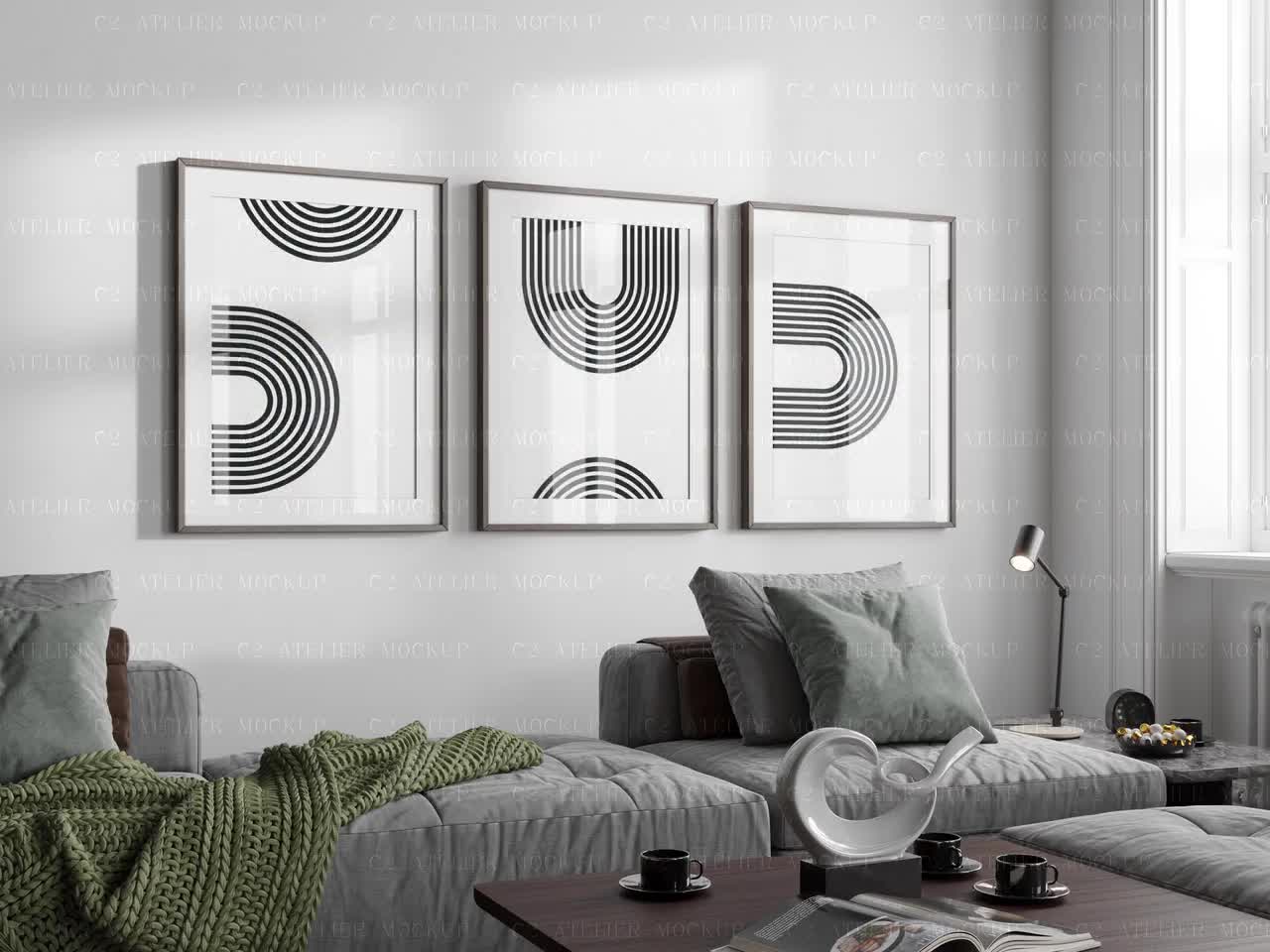
Vertical mockups also tend to look more natural in lifestyle contexts. A tall framed print above a sofa, a poster on a bedroom wall, a print in a styled reading nook. These scenes feel like real rooms, and real rooms pull saves.
Lifestyle Context Outperforms White Backgrounds
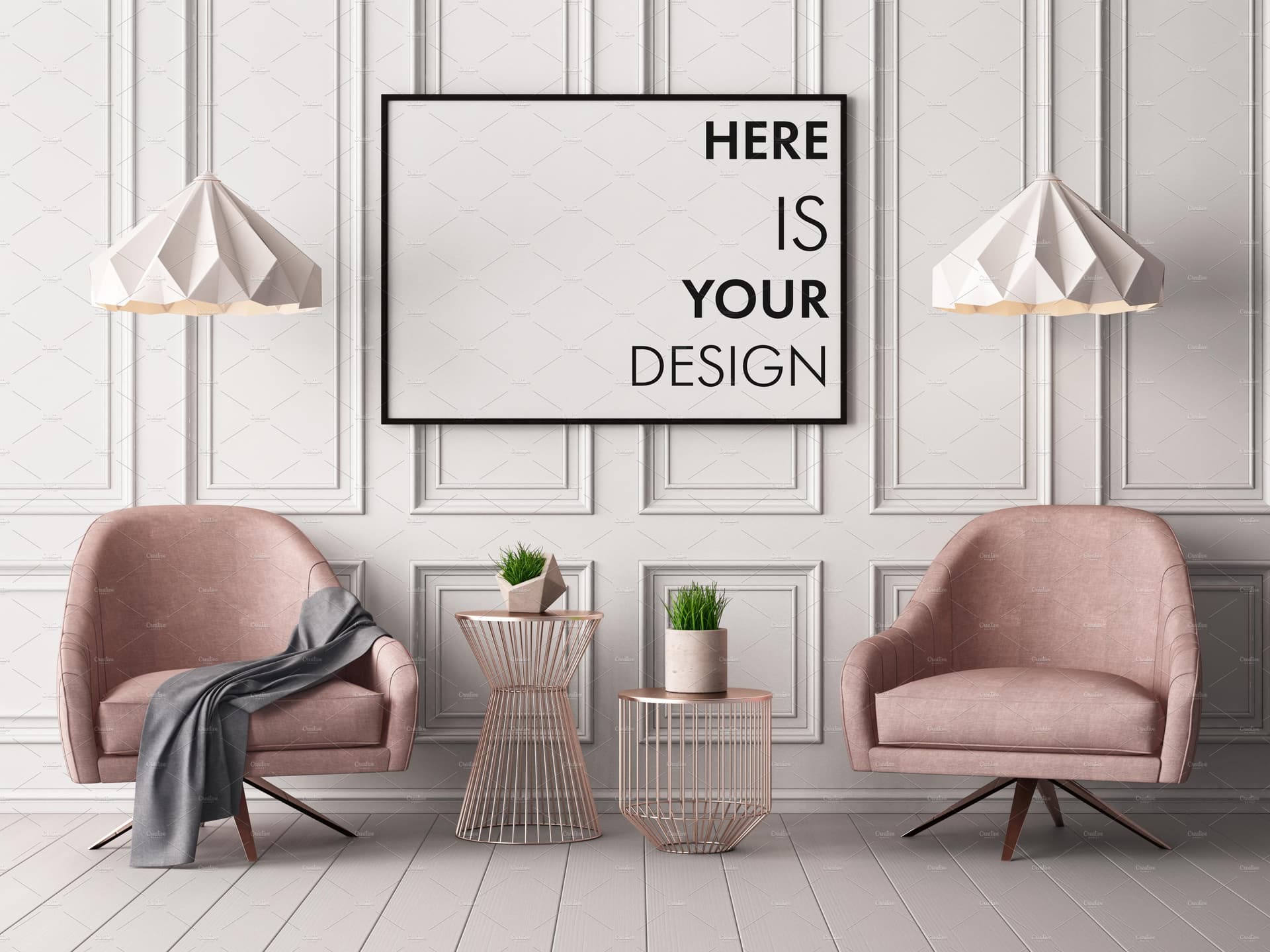
For Pinterest specifically, lifestyle mockups consistently outperform clean white background product shots. This is the opposite of what Amazon sellers optimize for, but Pinterest users are saving inspiration, not just shopping for an item. They want to see the print on an actual wall, in an actual room, with furniture and light that helps them picture it in their own home.
This is where investing in quality mockup imagery pays off. When your pin shows a watercolor botanical print framed above a rattan chair next to a warm lamp, the person scrolling does not just see a product. They see a vibe. They save it because they want that vibe in their own space. Then later, when they are ready to pull the trigger, they click through to your Etsy listing.
When you are creating mockups, think about what scenes would resonate with your ideal buyer. If you sell nursery prints, style them in a soft, dreamy nursery setting. If you sell kitchen art, show it above a wooden cutting board with some herbs nearby. The context does the selling.
Text Overlays Can Turn a Mockup Into a Complete Pin
One underused strategy is adding a text overlay directly to your mockup image to create a pin that communicates value before the user even reads the description. Something like "Instant Digital Download" or "5-Pack Printable Set" or "Customize Your Color" gives a buyer key information right from the feed.
Text overlays work especially well when you are advertising a seasonal collection, a bundle deal, or a new product launch. The mockup provides the visual appeal, and the text overlay makes the value proposition crystal clear.
Mockupanda has text overlay functionality built in, which means you can add that layer of information directly during mockup creation rather than hopping into a separate design tool. For sellers who are generating large batches of product images, that integrated step saves a real chunk of time.
Actionable takeaway: Create at least one vertical lifestyle mockup for every product in your shop. Use the 2:3 ratio and aim for a real-room setting that matches your brand aesthetic. Consider adding a short text overlay that communicates one key value point.
Structuring Your Pins for Maximum Saves and Click-Throughs
Write Descriptions That Function as Search Copy
Pinterest reads your pin descriptions and uses them to decide who to show your pin to. This means your description is not just a caption. It is search engine copy. You want to include the exact phrases your ideal buyer would type into the Pinterest search bar.
If you sell watercolor flower prints, your description might start with something like "Watercolor botanical wall art for a boho living room. This printable set includes four coordinating prints perfect for a gallery wall." You are stacking keywords naturally while giving the reader a clear picture of what they are looking at.
Avoid generic descriptions like "Beautiful wall art, check it out!" That tells Pinterest nothing about who to show your pin to and gives the user no reason to click. Be specific. Describe the product, the style, the use case, and the room it belongs in.
Use Board Organization to Build Topical Authority
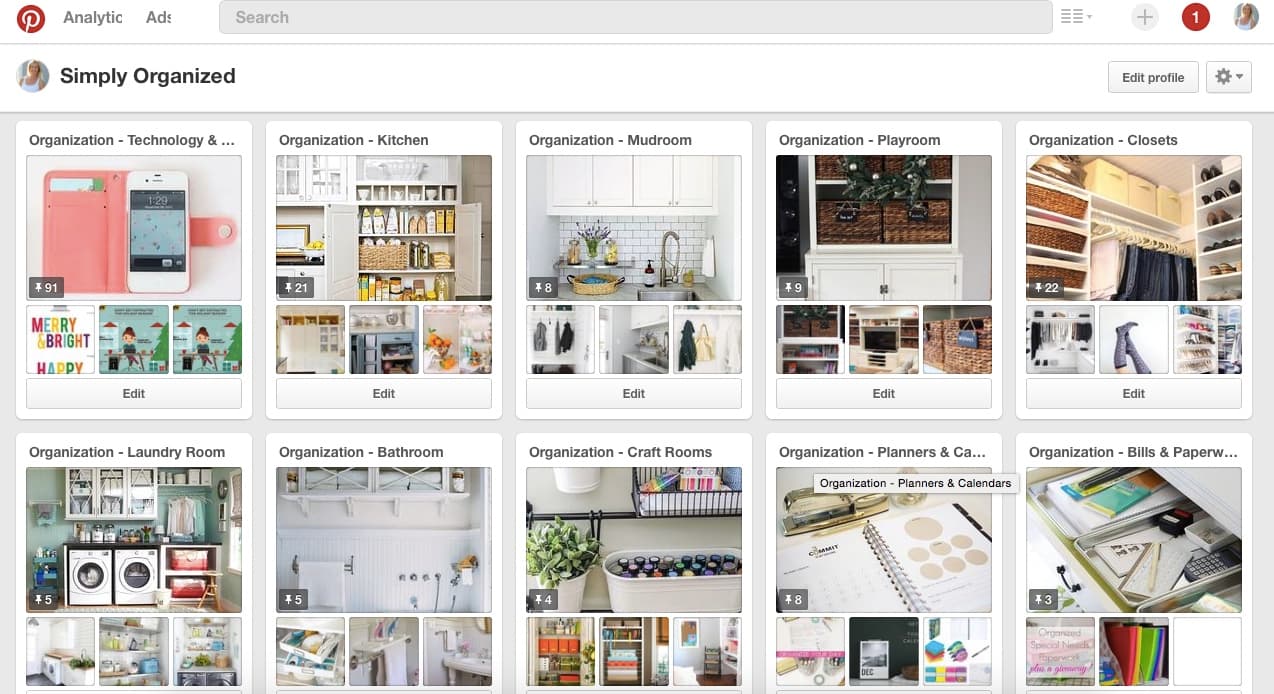
Your Pinterest boards are like categories on a website. When you organize your boards around specific themes, Pinterest starts to understand what your account is about and shows your pins to users who are browsing those themes.
For an Etsy digital print seller, you might have boards like "Minimalist Home Decor Prints," "Nursery Wall Art Ideas," "Printable Kitchen Art," "Gallery Wall Inspiration," and "Boho Bedroom Decor." Each board becomes a little hub that attracts saves from people in that specific niche.
When you pin a new mockup, pin it to the most relevant board first. Over time, you can also add it to secondary boards that relate. A floral print might go in your botanical art board and also in your gallery wall board.
Link Every Pin Directly to the Right Listing
This sounds obvious, but it gets skipped more than you would think. Every pin you create from a mockup image should link directly to the specific Etsy listing for that product, not to your shop homepage. When a buyer clicks through from Pinterest, they have been visually primed for that specific item. If they land on your homepage and have to hunt for it, most of them will leave.
Before you pin anything, double-check that the link goes exactly where it should. If you are pinning a set of four kitchen prints, the link should go to the listing for that specific set. Keep the path from pin to purchase as short as possible.
Actionable takeaway: Write your next ten pin descriptions as if they are keyword-targeted search copy. Include the style, the room, the use case, and the product format. Link each one to the exact listing.
Building a Repeatable Mockup-to-Pinterest Workflow
Batch Your Mockup Creation and Pin Scheduling Together
The sellers who get the most out of Pinterest are the ones who build it into a regular workflow rather than doing it randomly when they remember. A simple approach is to batch your mockup creation and pin scheduling on the same day each week.
Here is what a repeatable workflow might look like. On a Monday morning, you open Mockupanda and generate a set of vertical lifestyle mockups for any new products or upcoming seasonal items. You download those images and then spend thirty minutes creating pins in Pinterest with keyword-rich descriptions and direct listing links. You schedule those pins using Pinterest's built-in scheduler or a tool like Tailwind to spread them out over the coming days.
That one session can produce a week or two of consistent Pinterest activity without you having to think about it again until the next batch. Consistency matters more than volume. Pinning three things every day beats pinning fifty things one day and nothing for two weeks.
Repurpose Seasonal Content Before the Season Hits
Pinterest content needs to be created ahead of time because the platform indexes and surfaces content in advance of seasonal peaks. Christmas content starts getting traction in October. Valentine's Day pins need to go up in December. Back-to-school content performs best in June and July.
This means if you create seasonal print collections, your mockup-to-Pinterest workflow should run on a lead time of at least four to six weeks before the actual season. Create your Halloween collection mockups in late August. Pin them throughout September. By the time October hits, your pins have had time to gain saves and traction and they are already appearing in seasonal searches.
Batch your mockup creation season by season. At the start of each quarter, look ahead at what holidays and seasonal themes are coming up in the next three months and generate mockups for those first.
Track What Works and Double Down
Pinterest analytics will tell you which of your pins are getting the most impressions, saves, and outbound clicks. Pay attention to this data and use it to inform what mockup styles and product types to create more of.
If your vertical lifestyle mockup of the minimalist kitchen print is getting three times the clicks of everything else, that tells you something important. Make more mockups that look like that one. Create similar styled mockups for related products. The algorithm is showing you what your audience responds to, so let it guide your creative decisions.
Most sellers set up Pinterest, pin a few things, and never look at the data. Even a ten-minute monthly review of your top-performing pins can dramatically shift how you spend your mockup creation time.
Actionable takeaway: Build a simple weekly routine around mockup creation and pin scheduling. Block one hour per week, generate your vertical mockups in Mockupanda, write keyword-rich descriptions, and schedule them out. Treat it like any other part of your shop operations.
Common Mistakes That Kill Pinterest Traffic for Etsy Sellers
Pinning Only Your Own Content
Pinterest's algorithm rewards accounts that feel like curated resources, not just broadcast channels. If you only ever pin your own products, your account can come across as thin and self-promotional, and the algorithm gives it less reach.
A better approach is to mix your own product pins with curated content from your niche. If you sell botanical wall art, follow and repin content from interior design accounts, home decor bloggers, and plant accounts. This signals to Pinterest that your account is a valuable resource in the home decor space, which helps your own pins get distributed more broadly.
Aim for roughly a 70-30 or 80-20 split where most of what you pin is your own content, but a meaningful portion is curated repins that serve your audience.
Using Low-Quality or Generic Images
Pinterest is an extremely visual platform. Blurry, poorly lit, or generic mockups will not stop the scroll, and in a feed full of beautiful home decor inspiration, they will not earn saves. This is one area where the quality of your mockup source material genuinely matters.
If your current mockups are flat product shots against plain backgrounds, they are going to struggle on Pinterest even if your actual prints are beautiful. Upgrading to lifestyle mockups that show your art in a real-feeling environment is one of the highest-leverage improvements you can make to your Pinterest strategy.
The good news is that generating high-quality lifestyle mockups does not have to mean hiring a photographer or spending hours in Photoshop. Mockupanda is built specifically for print-on-demand and digital print sellers, and the mockup environments are designed to look like the kind of styled home interior scenes that perform well on Pinterest and in Etsy listings alike.

Ignoring Keyword Research for Boards and Pins
A lot of sellers treat Pinterest like Instagram, writing captions that are vague or aesthetic rather than searchable. But Pinterest rewards specificity. The more specific and relevant your keywords, the more precisely Pinterest can match your pins to the right searchers.
Spend twenty minutes doing keyword research directly on Pinterest. Type in your main product categories and look at what auto-complete suggestions come up. Those suggestions are real searches that real people are making. Build those phrases into your board names, board descriptions, and pin descriptions.
For example, if you sell printable wall art, searching "printable wall art" on Pinterest might surface suggestions like "printable wall art for living room," "printable wall art minimalist," "printable wall art set of 3," and "printable wall art boho." Each of those is a target phrase you can weave into your content.
Actionable takeaway: Audit your existing Pinterest boards and pin descriptions. Look for vague or generic language and replace it with specific, searchable phrases. Use Pinterest's own search bar to find the phrases your buyers are actually using.
Turning Pinterest Into a Long-Term Traffic Asset
Pinterest is not a channel that delivers results overnight. It is a platform that rewards consistency and patience, and the sellers who commit to it for six months or more are the ones who see it become a meaningful traffic source.
The key insight is that your mockup images are not just for your Etsy listings. Every time you create a professional, lifestyle-styled mockup for a product, you are creating an asset that can live on Pinterest and keep sending buyers your way long after you published it. The work compounds in a way that very few other marketing activities do.
Start with what you have. Take your best-performing Etsy listings, create vertical lifestyle mockups for them if you have not already, and build out a few well-organized Pinterest boards around the core themes of your shop. Pin consistently, write keyword-rich descriptions, link directly to your listings, and check your analytics monthly to see what is working.
The sellers who treat Pinterest as a serious traffic channel and pair it with professional mockup imagery end up building a pipeline that works even when they are not actively working. That kind of compounding, passive traffic is one of the most valuable things you can build for your Etsy business, and it starts with taking your mockup images seriously as marketing assets.
If you are not yet creating the kind of lifestyle mockups that would stop a scroll on Pinterest, that is the first thing to fix. Mockupanda was built for exactly this kind of workflow, giving you fast, professional, print-specific mockups that look great in listings and even better as pins. Start there and build the rest of the strategy around it.
Keep reading
How to Use Your Mockup Generator to Create Instagram Carousel Posts That Drive Traffic to Your Etsy Shop