The Mockup Mistakes That Make Buyers Think Your Digital Print Is a Physical Product (And How to Avoid Refund Disputes)

There is a specific kind of Etsy message that every digital print seller dreads. It usually shows up a day or two after a purchase, and it reads something like: "Hi, I ordered this print last week and I still haven't received anything in the mail. Can you tell me when it ships?"
That message is not the buyer being difficult. That message is the result of a mockup doing its job too well, or more precisely, doing the wrong job entirely.
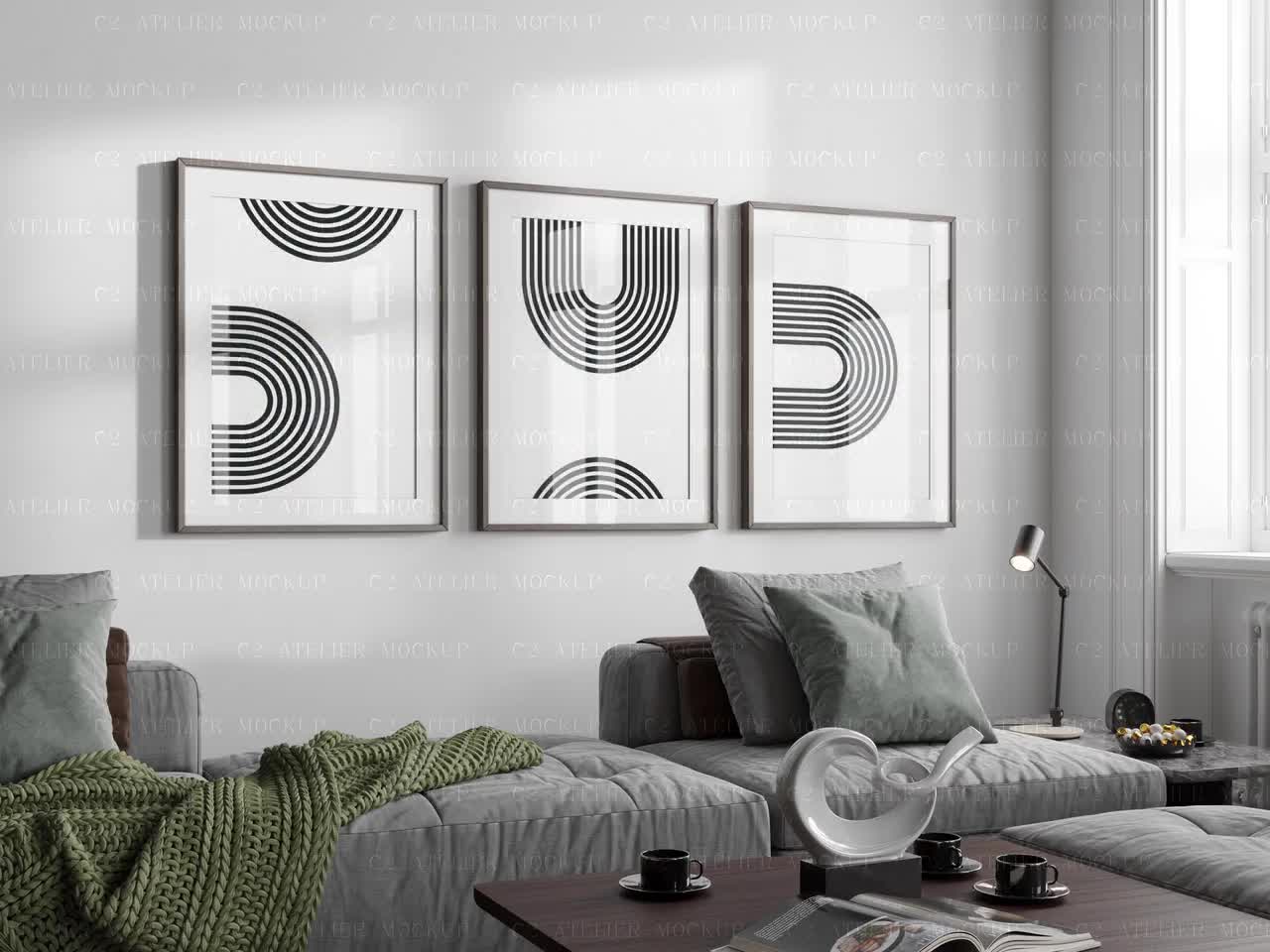
If your product listing shows a gorgeous framed print hanging on a gallery wall, matted and beautifully lit, and nowhere in that image does anything clearly signal "this is a digital file," you have created a visual promise you cannot keep. The buyer sees a physical object. They imagine it arriving at their door. And when it does not, the frustration is completely understandable, even if you wrote "INSTANT DOWNLOAD" in your listing title.
This is one of the most common, most fixable problems in digital print shops. And it costs sellers real money in refunds, wasted customer service time, and damaged reviews. Let's walk through exactly where it goes wrong and how to fix it.
Why Mockups Create Confusion in the First Place
Mockups are a fantastic tool. They help buyers visualize your print in a real environment, which increases perceived value and drives conversions. A flat, plain image of your artwork on a white background does not sell nearly as well as that same artwork shown in a styled living room. That is just the reality of selling visual products online.
But the same quality that makes mockups effective at selling also makes them effective at misleading. A photorealistic mockup of a framed print hanging above a linen sofa looks, to most buyers, like a product photo. Not a simulation. Not a preview. A photo of the actual thing they are buying.
The Visual Gap Between Sellers and Buyers
As a seller, you know the distinction between a mockup and a product photo because you made the mockup yourself. You dragged your file into the template, adjusted the colors, and hit export. The line between "preview" and "real" is obvious to you.
Your buyer has no such context. They are scrolling through hundreds of listings. They are making fast decisions based on images. When they see your mockup, they are using the same mental shortcut they use for every other product on Etsy: if it looks like a product photo, it is a product photo.
This gap in context is the root cause of almost every "where is my order" message that digital print sellers receive.
Why Listing Text Alone Does Not Solve It
You might be thinking: "But I write DIGITAL DOWNLOAD in my title and mention it in the description. That should be enough."
It is not, and here is why. Eye-tracking research on e-commerce consistently shows that buyers look at images first, images longest, and images most. Text, especially in the middle of a longer description, gets skimmed at best. Some buyers admit openly that they barely read listings at all before purchasing.
This does not make them bad customers. It makes them normal humans shopping online. Your mockups need to carry the communication weight, not just your text.
Takeaway: Assume your buyer will look at your images and skim your text. Design your mockups to communicate "digital file" visually, not just verbally.
The Specific Mockup Mistakes That Trigger Refund Disputes
Not every mockup approach causes confusion equally. Some are much more likely than others to result in a buyer expecting a physical product. Here are the patterns worth auditing in your own shop.
Showing Only the Framed or Mounted Version
This is the single biggest offender. If every image in your listing shows the print framed, mounted, or hanging on a wall, you are showing a finished physical product. The frame implies the frame is included. The wall implies the print will arrive ready to display.
Framed mockups are beautiful and they absolutely have a place in digital print listings. But they should never be the only thing you show, and they should always be paired with clear visual signals that contextualise what is actually being sold.
If you are only using framed mockups, add at least one image that shows the flat, unframed artwork. Better yet, show a mockup that includes a graphic element like a badge, overlay, or label that says something like "Digital File" or "Printable Download."
Using Ultra-Realistic Mockups Without Any Digital Cues
The higher the production quality of your mockup, the higher the risk of confusion. A mockup with perfect shadows, realistic textures, and professional lighting can be indistinguishable from an actual product photograph. That is impressive from a design standpoint, but it works against transparency.
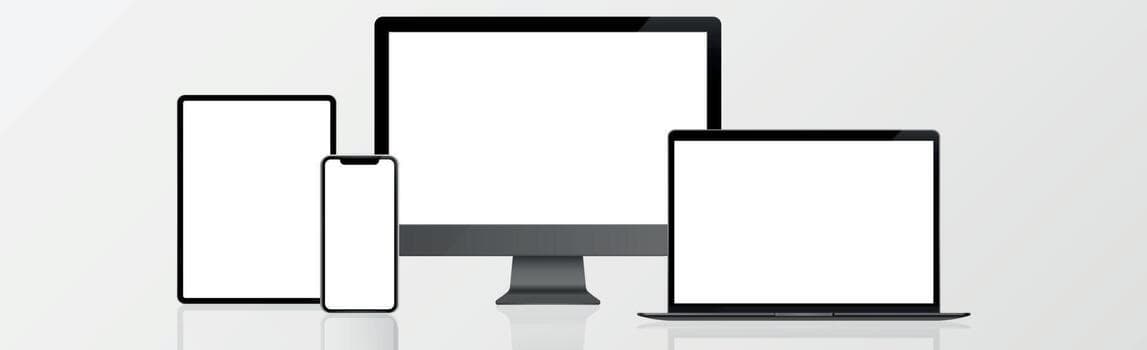
Ultra-realistic mockups without any accompanying digital cues, such as a visible file icon, a download arrow, a laptop or phone screen showing the file, or a simple text overlay, give buyers zero visual information that they are purchasing a file rather than an object.
Showing Only One or Two Images Total
Etsy allows up to ten listing images. Sellers who use only one or two are missing multiple opportunities to build context. A single stunning mockup of a framed print tells buyers almost nothing about what they are actually receiving.
When you have more images, you can use them strategically: one to show the artwork in a styled environment, one to show the flat digital file or a preview of the download contents, one to show the range of sizes available, and one to address the most common question your buyers have. Each image is a chance to reduce confusion and increase confidence.
Mockups That Show Physical Packaging or Shipping Materials
This one catches sellers off guard. Some mockup template packs include lifestyle images showing products in kraft paper packaging, rolled in tubes, or wrapped in tissue paper. These mockups are designed for physical product sellers, but they sometimes end up in digital print listings by mistake or because the seller liked the aesthetic.
If your listing includes any image that suggests the product is being packaged or shipped, you are actively telling buyers that something physical is coming. Remove those images entirely from digital product listings.
Takeaway: Audit every image in your listings today. If any of them could reasonably be mistaken for a physical product photo, add a visual digital cue or replace the image entirely.
How to Set Visual Expectations Without Killing Conversions
The good news is that being clear about selling a digital product does not have to hurt your conversion rate. In fact, when done well, it builds trust and can actually increase sales. Buyers who clearly understand what they are purchasing are more likely to follow through, and less likely to regret it afterward.
Use Text Overlays Directly on Your Mockup Images
One of the most effective things you can do is add a simple, clean text overlay to your primary mockup image. Something like "Instant Digital Download" or "Printable File, Not a Physical Print" placed in a corner of the image communicates the product type without cluttering the design.
This does not need to be intrusive or ugly. A small, well-designed badge or label in a font that matches your brand can blend into the image while still serving its purpose. The key is that it is visible at thumbnail size, because a lot of buyers make click decisions based on the thumbnail alone.
Tools like Mockupanda make this straightforward. You can add text overlays directly to your mockup images without needing to open a separate design tool, which means you can apply consistent labeling across an entire collection without the process becoming a time sink.
Add a "What You'll Receive" Image
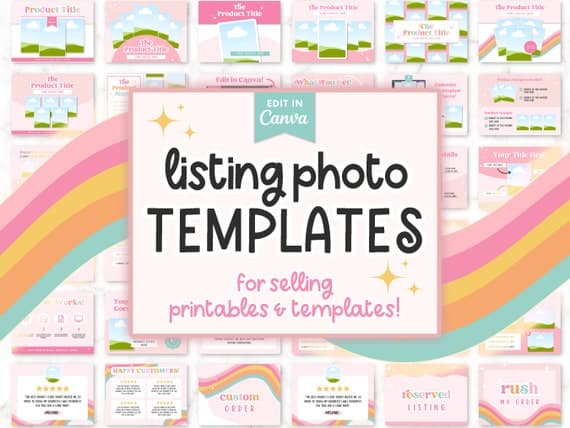
Create a dedicated image, usually the second or third in your listing, that shows exactly what the buyer will receive when they complete the purchase. This does not have to be fancy. A clean graphic showing a file icon, the included sizes, and the file format (PDF, JPG, PNG) is incredibly effective at setting expectations.
This type of image also reduces inbound customer service messages about file types and sizes, which is a bonus. You are answering the most common pre-purchase questions visually, before buyers even have to ask.
Lead With the Art, Follow With Context
Your first image should still be your best mockup. That is what earns the click. But your second and third images should do the work of building understanding and trust. Think of your image sequence as a conversation: the first image says "look how beautiful this is," and the next images say "here is exactly what you are getting and how it works."
This sequence respects the buyer's intelligence while still leading with visual appeal. You are not watering down your listing. You are making it more complete.
Takeaway: Add at least one image to every digital print listing that explicitly shows the buyer what they will receive, using clear graphics, file format details, and size information.
Writing Listing Text That Backs Up Your Visuals
Even though images carry the most weight, your listing text still matters. The goal is for your text to reinforce what your visuals already communicate, not to carry the entire burden of disclosure on its own.
Put the Most Important Information First
Etsy truncates listing descriptions after a few lines, showing a "read more" button for the rest. This means that whatever you write first is what most buyers actually read. Put "This is an instant digital download" or something equivalent in the very first sentence or two of your description. Do not bury it after a paragraph about your design inspiration.
Your title should also include a clear signal. Phrases like "Printable Wall Art," "Digital Download," or "Instant Download" in the title are searchable, informative, and help set expectations before buyers even open the listing.
Address the Most Common Confusion Points Directly
In your description, add a short FAQ-style section that answers the questions buyers most commonly ask about digital products. Something like: "Nothing will be shipped to you. After purchase, you will receive an email from Etsy with a link to download your files. The files will be in JPG and PDF format at 300 DPI, ready to send to a local or online print shop."
This level of specificity does two things. It answers the question before it gets asked, and it demonstrates that you are a knowledgeable, professional seller who understands the product you are selling. Both of those things build buyer confidence.
Takeaway: Revise your listing descriptions so the first two sentences clearly identify the product as a digital file. Then add a short section explaining exactly how the download process works.
Building a Shop-Wide System to Prevent Disputes at Scale
If you have a large catalog of digital prints, auditing and fixing every listing one by one is a significant time investment. The smarter move is to build a system so that every new listing you create is already set up correctly from the start.
Create Mockup Templates With Built-In Digital Cues
Instead of adding text overlays and badges after the fact for every new listing, build them into your mockup templates. Design a set of base mockups that already include a small "Digital Download" label or badge. Then every time you drop a new artwork into the template, the cue is already there.
This is where a tool like Mockupanda becomes genuinely useful at scale. You can generate bulk mockups for an entire collection at once, with consistent overlays and styling applied across every image. That kind of consistency also helps your shop look more professional, because all your listings have a cohesive visual identity rather than a mix of different mockup styles.
Develop a Listing Checklist
Create a simple checklist you run through before publishing any new digital print listing. Include items like: Does the primary image include a digital download cue? Is there a "what you'll receive" image? Does the title include "printable" or "digital download"? Does the first sentence of the description identify this as a digital file?
A checklist takes about two minutes to run through and can prevent the kind of confusion that costs you thirty minutes of back-and-forth messaging with a frustrated buyer.
Respond to Disputes With a Template That Educates, Not Just Refunds
Even with all the right precautions, the occasional confused buyer will still reach out. Have a response template ready that is warm, not defensive, and that walks them through how to access their download. Something that starts with empathy, explains the process clearly, and offers to help if they have trouble with the file.
This approach resolves most disputes without a refund, because often the buyer is not actually upset about the product being digital. They are just confused about how to access it. A clear, helpful response that solves their problem quickly usually results in a satisfied customer.
Takeaway: Build digital cues into your mockup templates before listing creation, maintain a pre-publish checklist, and keep a warm, educational dispute response template saved and ready.
The Bigger Picture: Trust Is Your Most Valuable Product
Every decision you make about how to present your digital prints is ultimately a decision about trust. Buyers on Etsy are not just evaluating your artwork. They are evaluating whether you are the kind of seller who will give them exactly what they expect, be honest about what they are buying, and be helpful if something goes wrong.
When your mockups are clear, your listings are honest, and your process is transparent, you build the kind of trust that leads to repeat customers and five-star reviews. When they are not, you build the kind of confusion that leads to disputes, refunds, and damage to your shop's standing.
The mockup mistakes outlined here are all fixable. None of them require a graphic design degree or hours of extra work per listing. They require a clear system and the right tools to execute that system consistently.
Fixing your mockups is not just about avoiding disputes. It is about building a shop that buyers feel confident purchasing from, coming back to, and recommending to others. That is the real return on investing thirty minutes in getting your listing images right.
Keep reading

How to Refresh Your Entire Etsy Shop's Mockup Style in a Weekend Without Redoing Your Designs
How to Use Your Mockup Generator to Create Instagram Carousel Posts That Drive Traffic to Your Etsy Shop